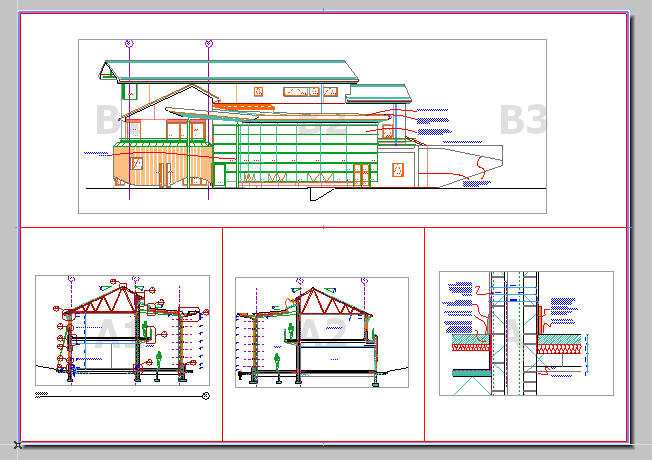
Each drawing placed onto a layout is automatically assigned a Drawing ID. The Drawing ID appears in front of the Drawing Name in the Navigator and the Organizer palette. The method of ID assignment is defined in Drawing Settings. Note that the Drawing Name and the Drawing ID are defined separately.
In the Drawing Identification Panel of Drawing Settings, choose one of these options for defining the Drawing’s ID:
•By View ID: The Drawing will have the same ID as its source view. This option is often the most useful if your Layouts contain one Drawing each. (This option is only available if the Drawing’s source is an ArchiCAD view.)
•By Layout: The Drawing will get an ID based on its “Parent” Layout: the Drawing ID will have the Prefix/Style you define in Layout Settings, in the “IDs of Drawings on this Layout” panel. This option is most useful if your Layouts contain multiple Drawings.
•Custom: Assign any custom ID to this Drawing.
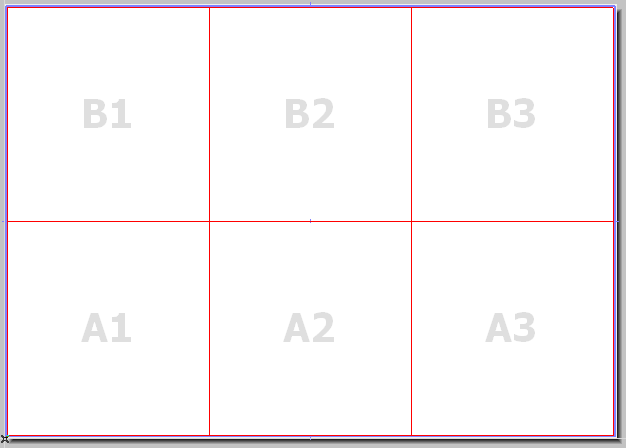
You can also use the Grid for Drawing IDs feature of Master Layout Settings to automatically place drawings in cells and assign IDs in a matrix or a flat structure.