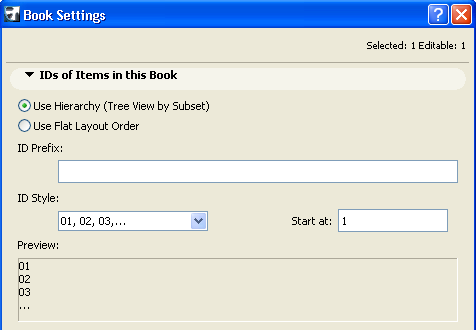
To access this dialog box, do one of the following:
•Use the Document > Layout Book > Book Settings command.
•Use the context menu of the Layout Book icon in the Navigator Layout Book structure, or the Settings button at the bottom of the Navigator when the Layout Book icon is selected in the tree view.
For more information, see Layout Book Buttons.
IDs of Items in this Book Panel
•The Use Hierarchy option assigns IDs that reflect the position of the Layouts within the tree view hierarchy, including their position in Subsets. In this system, the Subsets can also receive an ID, which shows up as part of the ID assigned to each of its Layouts.
Subset IDs are defined in Subset Settings.
For more information, see Subset Settings Dialog Box.
•The Use Flat Layout Order option assigns IDs to all the Layouts of the Book. The ID assignment is performed in the Navigator from top to bottom regardless of the Layouts’ position in the hierarchy. In this case, Subsets will have no IDs. The Layout IDs will use the prefix and style you define here.
For more information, see Layout and Drawing IDs.