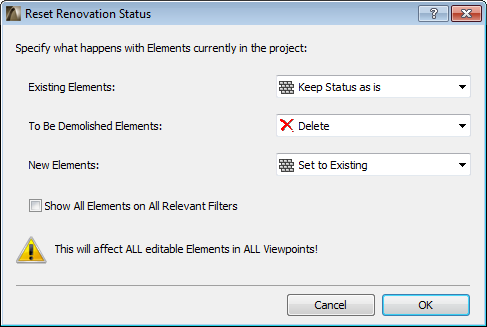
One-Step Renovation Status Update for All Elements
When a renovation project is finished, you will need to update all elements’ renovation status: for example, those that were “To be Demolished” can now be deleted; those that were “New” are now “Existing”.
In earlier versions, this process required several rounds of Find & Select, and 2D elements, such as annotations, had to be updated viewpoint by viewpoint. Now you can do all this with a one-step workflow that is intelligently and flexibly applied to all elements in all views, including your annotations. The Reset Renovation Status command (Document > Renovation menu) lets you globally update (or delete) elements by status, or leave them unchanged - speeding up your Renovation workflow, leaving no element forgotten.