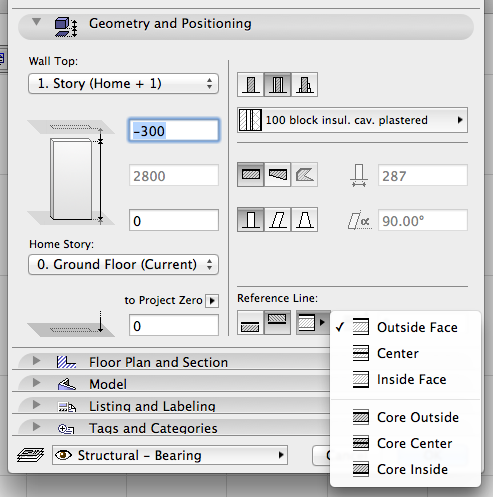
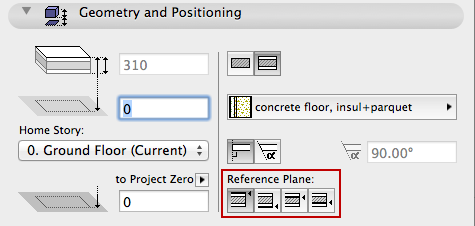
•For walls and slabs: Option to assign a reference line-plane not just to either side of the wall, but also to either side of the wall’s core skin, or to the top/bottom of the slab core.
This way, when the user edits the wall or slab (e.g. adds skins or changes the thickness), the wall/slab core connections remain constant, and the elements' positions relative to their reference line remain unchanged.
For example, walls can join slabs by connecting to the slab core, rather than the top of the slab finish. This feature is also useful when slabs are used for another purpose (such as a ceiling): the reference level can be placed at the slab bottom, rather than the top.
See Wall Reference Line and Slab Reference Plane.
•Use the new Modify Wall Reference Line/Slab Reference Plane dialogs (replaces Wall Extras) to relocate reference line/plane without moving the geometry.
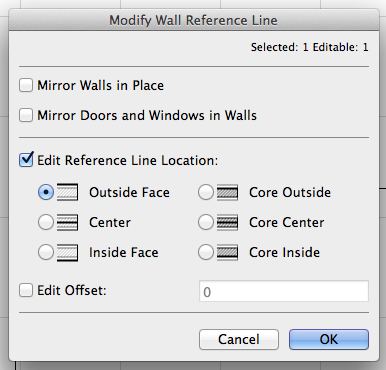
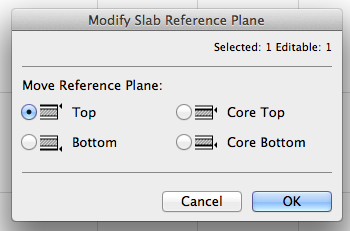
See Modify Wall Reference Line and Modify Slab Reference Plane.