How to Navigate Among ArchiCAD Windows
1.The easiest way to switch among the different windows is to use the maps in the Navigator Palette. Just double-click on the item you want to see.
See Navigator Palette.
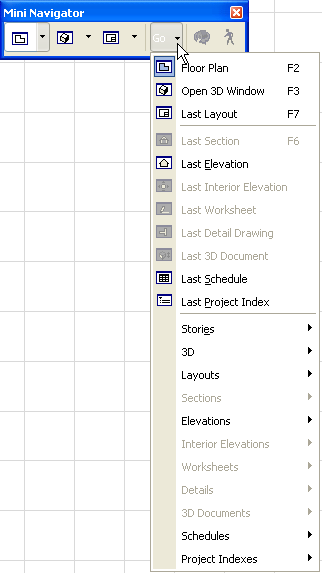
2.The predefined Mini-Navigator toolbar (available from Windows > Toolbars) is another way to quickly switch windows
3.Or use the View > Navigate hierarchical menu.
Navigation Shortcuts
You can also use keyboard shortcuts to navigate among windows:
•go to Floor Plan Window: F2
•go to 3D Window: F3
•go to 3D Window (Perspective): Shift+F3
•go to 3D Window (Axonometry): Ctrl+F3
•go to last Section window: F6
•go to last opened Layout: F7