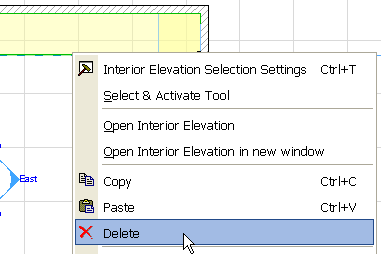
If you have selected an individual IE viewpoint, you can delete that single viewpoint by using the context menu’s Delete command:
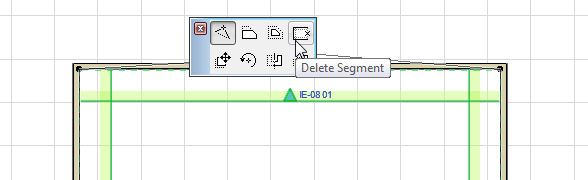
Alternatively, if you have selected the entire IE group by selecting any Room Boundary line, use the Delete Segment command from the pet palette. The segment that you clicked to select the IE group will be deleted.
Note: To select an Interior Elevation group, select any of its Room Boundary lines.
You can restore this viewpoint even after deleting it: select the IE group to which it belongs (select any part of the IE Limit Line) and use the Restore all Interior Elevations in Group command from the context menu.
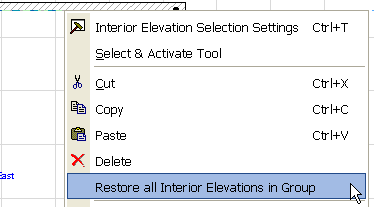
Note: This command regenerates the IE viewpoint, but any 2D edits you made in this viewpoint before deleting it have been lost.