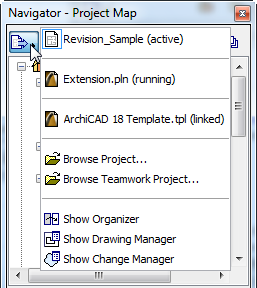
Use this button to access choices for managing projects with the Navigator or Organizer.
The top section of the Project Chooser list displays ArchiCAD project files you have accessed.
•Active: Name of current project
•Linked: An external project from which you have already added a view or layout to the active project
•Running: An external project which is open in a separate instance of ArchiCAD.
Browse: Click this button to access a file directory and choose an ArchiCAD project whose content you want to use in the active project.
Show Organizer: Click this command to display the Organizer (if you are in the Navigator’s Project Chooser).
Show Navigator: Click this command to display the Navigator (if you are in the Organizer’s Project Chooser).
Show Drawing Manager: Click this command to display the Drawing Manager palette.
Show Change Manager: Click this command to display the Change Manager palette.