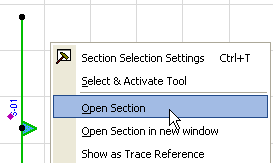
To open a Section viewpoint, double-click its name in the Navigator, or use a menu command. (View > Navigate > Sections > Open Section). Another way to open the viewpoint is to select the Section line on the Floor Plan and use the “Open Section” command from the context menu.
By default, each Section is opened in a new tab of the Tab Bar (or a new window, if you are not using the Tab Bar.)