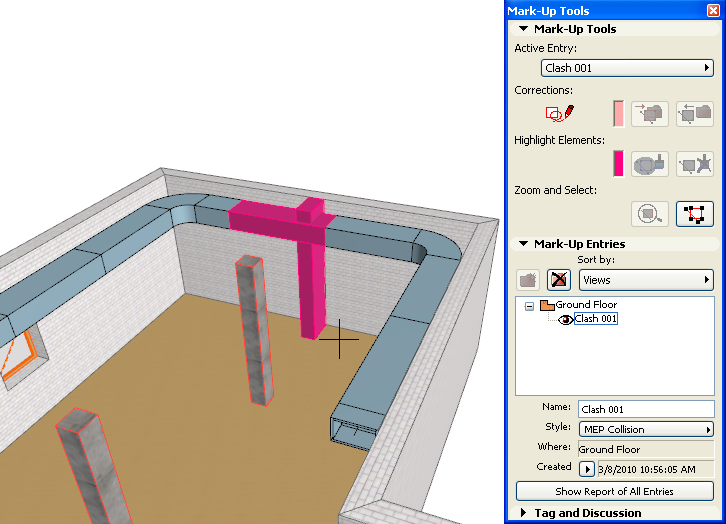
MEP elements, imported from the major MEP applications via IFC file import, automatically translate into native GRAPHISOFT MEP Modeler objects. This enables GRAPHISOFT MEP Modeler users to utilize the full functionality of the application on the received 3D MEP elements, including Collision Detection (Design > MEP Modeling > Find Collisions). This function identifies places in the project where MEP elements intersect with each other and with other elements of the building model. Collision Detection is available in the Floor Plan and 3D windows for all MEP elements, except for elements on hidden layers.
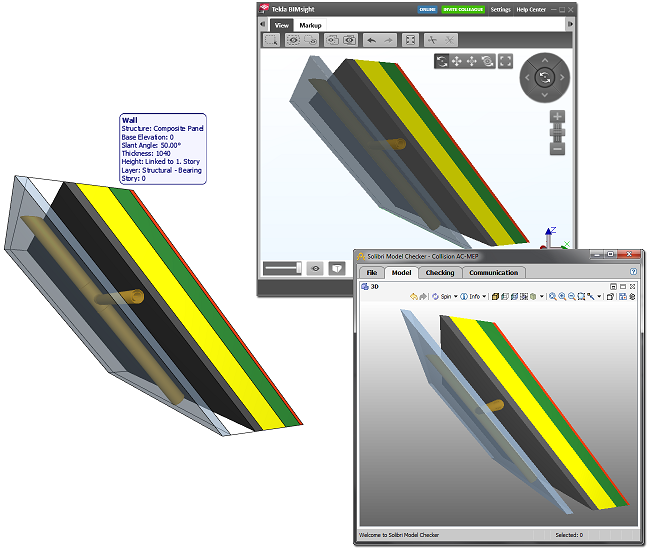
Hint: To share collision detection issues with other disciplines, you can export Mark-Up entries in BCF (BIM Collaboration Format). Ask you consultants about whether his/her software supports BCF file format. If not, you can suggest a freely available BCF manager (such as Tekla BIMsight, Solibri Model Viewer, etc.).
For more information, see Project Mark-Up.
If you have correctly defined the Building Material components of a model’s composite and complex profile elements, using the “Participates in Collision Detection” tag for air gap skins, then an MEP engineer can place pipes into these gaps, and the Collision Detection function of MEP Modeler will not find collisions for these elements.
For further information on Collision Detection, please refer to the “Handling MEP Content in ARCHICAD” section or the User Manual of GRAPHISOFT MEP Modeler.