ARCHICAD File Types Saved by ARCHICAD
ARCHICAD supports unicode file names of essentially unlimited length.
For details, see Archive Files.
ARCHICAD Project Template (.tpl)
Choose this option if you want to save the current project settings for future use as a template.
For details, see Template Files.
For details, see Archive Files.
Project (.pln) in an earlier ARCHICAD version format
ARCHICAD 19 can back-save project files in ARCHICAD 18 format only (among previous ARCHICAD file formats).
Important: When saving an ARCHICAD project as an earlier version project, an alert will appear warning you that elements and information not supported by the older version will be discarded.
See also Back-Saving from ARCHICAD 19 to ARCHICAD 18 in the Migration Guide for ARCHICAD 19.
Backward Compatibility Supported for Library Parts
When back-saving your ARCHICAD 19 project to version 18, any library parts that were revised for 19 will be automatically replaced by their original counterparts in version 18.
Note: If the object in ARCHICAD 19 has acquired additional parameters or functions compared to the version in ARCHICAD 18, those new features will be lost when you back-save the object to ARCHICAD 18.
See also Back-Saving from ARCHICAD 19 to ARCHICAD 18 in the Migration Guide for ARCHICAD 19.
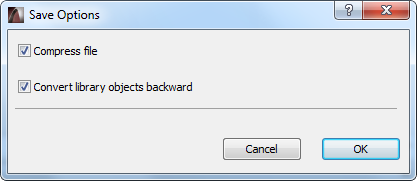
In the Options of the Save as dialog box, you can uncheck the Convert library parts backward checkbox. This way, the library parts revised for the latest version will not be replaced by their original counterparts in the previous version, and will be shown as “missing”.
For details, see Save ARCHICAD Model as BIMx 3D Model.
Module File; Module File from Clipboard (.mod)
For details, see Create Module.
This option will save your model in GDL script.
For details, see GDL Object Editor.
These files are vectorial drawings saved from ARCHICAD’s 3D Window (using the Vectorial 3D Engine). These drawings contain no model information and can be touched up in the Floor Plan with 2D tools.
Important note: In the 3D Window, this option is only available with the Vectorial 3D Engine - not available in OpenGL mode.