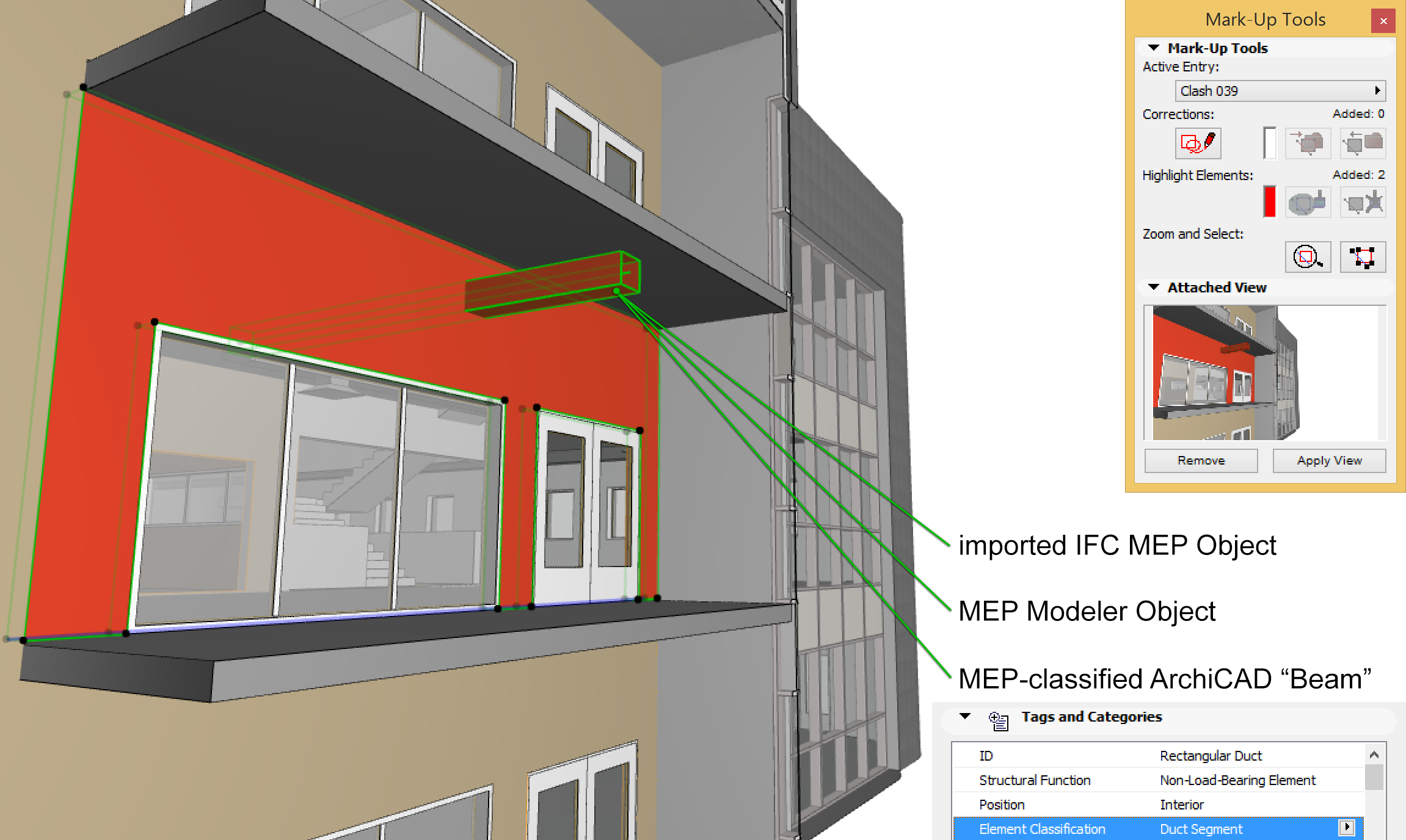
In MEP Modeler Environment (installed GRAPHISOFT MEP Modeler Add-On), you can detect collisions among the construction elements (Beam, Columns, Slabs, Walls, etc.) and the elements classified as MEP-type element (Element Settings > Tags and Categories > Element Classification). As a result, collision detection works on:
•all imported IFC MEP elements (independently of which MEP application exported the IFC model), and
•all ARCHICAD project MEP Objects and MEP-classified elements (for example pipes defined with Beam tool, but classified as MEP elements).
You can narrow both sets of elements by visibility or selection. For example, if you want to run Collision Detection only on certain parts of a particular wing of a building (e.g. load-bearing columns), then use Layers to create a view which displays only those elements. If you select certain MEP elements, then Collision Detection will be run only on those elements, checking them against all visible construction elements.
Detected collisions are displayed in ARCHICAD as Mark-up entries.
See Project Mark-Up.
Mark-Up entries, in turn, can be sent to and from consultants in BCF format.
See Export and Import Mark-Up Entries and Workflows for Using BCF in Project Mark-Up.
To launch Collision Detection, use the Detect Collisions command at Design > MEP Modeling > Detect Collisions. (This requires that you have the MEP Modeler environment in ARCHICAD).
For more information about GRAPHISOFT MEP Modeler:
See http://www.graphisoft.com/archicad/mep_modeler/.