The effect of GI on glass is barely visible and can therefore unnecessarily take up render capacity. To avoid this, use the Glass/Mirror Optimization parameter. As a result, surfaces with a Brightness value (in the Transparency or Reflection channels) greater than the value defined in this parameter will not be illuminated by GI. This may result in somewhat darker (but faster) renderings.
This parameter has no effect on Caustics!
For example, a lot of render time can be saved when visualizing a structure containing numerous large glass surfaces.
Tip: In order for this parameter to work, the surface channel “Color” must be disabled and no texture should be present in the Transparency channel.
Refractive Caustics/Reflective Caustics
Individually enables or disables Refractive and Reflective Caustics.
GI Caustics uses any available light source. GI Caustics require bright light (e.g. HDRI images with very bright regions or Area Lights) to come to fruition. Otherwise you can increase the strength of the Generate GI parameter in the glass material’s “Illumination” channel.
Tip regarding reflected GI Caustics: Reflected GI Caustics always require an active Reflection material channel. Otherwise, you can achieve the best quality caustics if GI Mode is set to QMC.
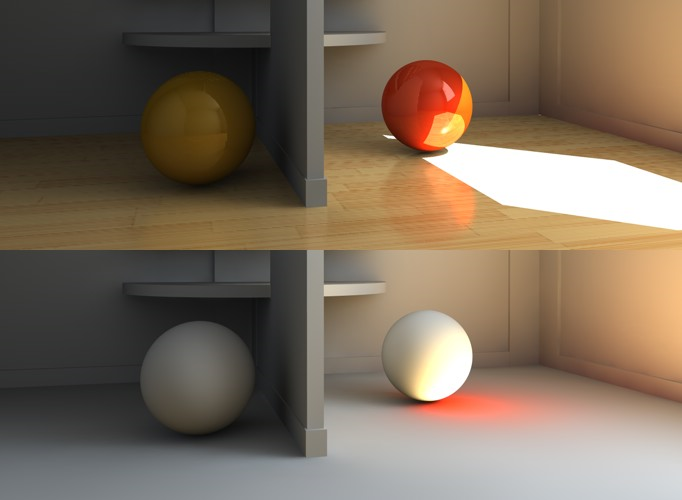
Diffuse Illumination Only
Activating this option deactivates textures, reflections, light from surfaces illuminated directly by light sources, etc. All bothersome elements will be deactivated and only the brightness dispersion calculated by GI will be rendered. This also lets you judge the quality of the GI.
This option should definitely be deactivated for the final rendering.