
Use the Level Dimension tool for associative, point-level elevation markers.
For more information on this function, see Level Dimensions.
Level Dimension Type and Font Panel
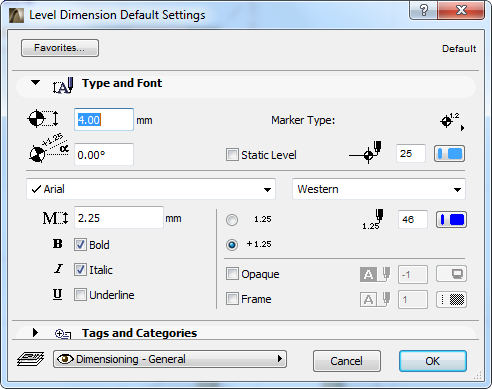
Enter a height for the Level Dimension Marker.
Rotation angle: Enter a rotation angle for the Level Dimension Marker. The text will rotate with it, maintaining its original relationship to the marker symbol.
Marker Type: Click the pop-up to enter a Marker type for the Level Dimension.

[1.25] Click this button to display an indicator (-) only with negative Dimension values.
[+ 1.25] Click this button to display an indicator (- or +) with all Dimension values.