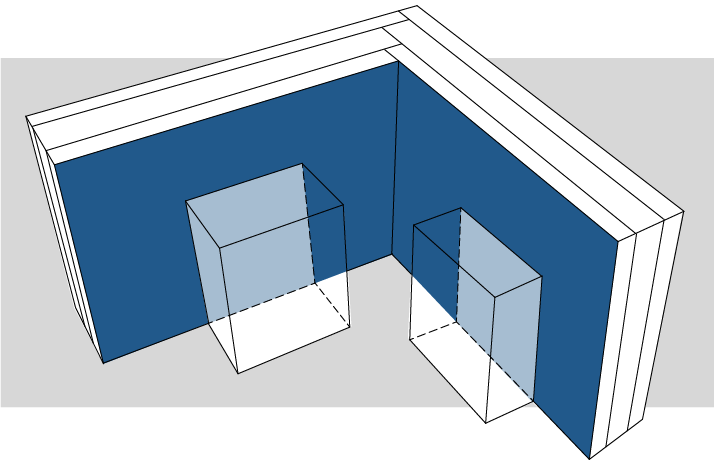
Newly introduced Surface Lists let you schedule the total exposed area of a surface (as well as their other properties, e.g. color or hatching).
You can define exactly what counts as exposed, depending on your Surface List Scheme Settings. In the follow diagram, the dark blue area is considered as “Exposed”, the light blue areas are considered as “Covered”.
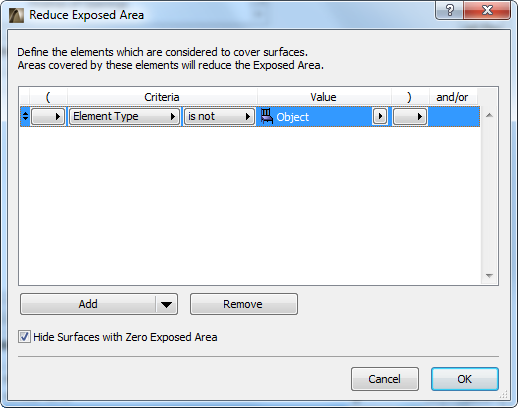
However, you can define the light blue areas to be calculated as exposed - e.g., if they are behind furniture objects. The “Reduce Exposed Area” sub-dialog (in Scheme Settings, from the “Exposed Area” field) can specify, for example, “Element Type is not Object”. This way, the light blue area is also counted as Exposed Area.
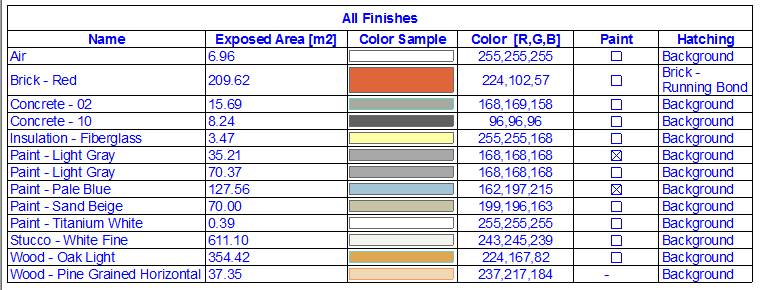
These schedules provide a fast and precise list of the areas of required finishes (paint, wallpaper, wall coverings etc.).
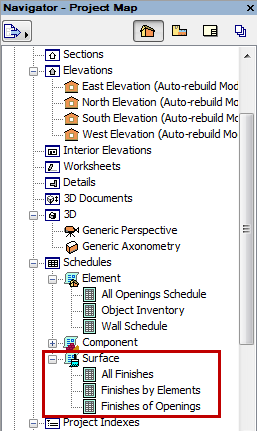
•All Finishes lists every visible surface in the model with its total exposed area.
•Finishes of Construction Elements lists the visible surfaces used by each element type, with their respective exposed areas.
You also have the schedule specify whether the listed surface differs from that of the element’s Building Material surface - i.e., whether it has been “painted over” (here, the Painted checkbox).
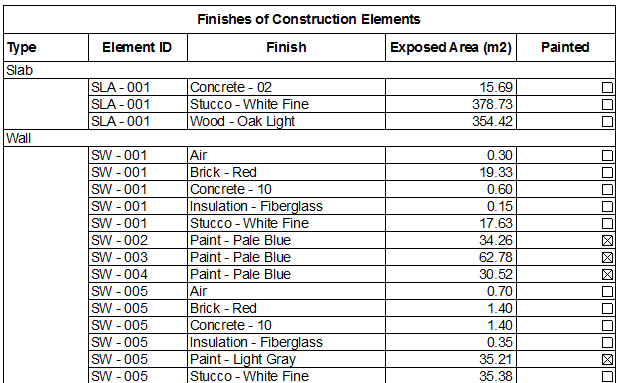
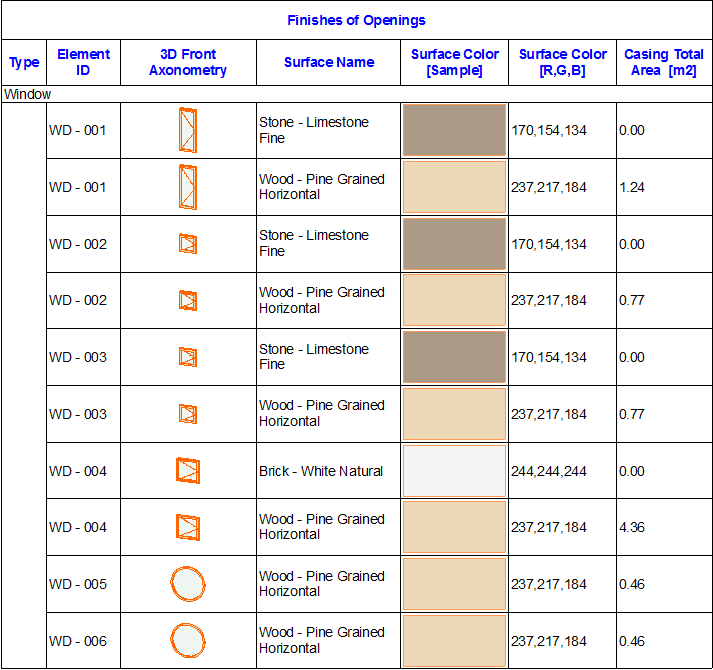
•Finishes of Openings lists the surfaces (excluding glass) of Doors and Windows. That is, the schedule lists the surfaces used for frame, casing, and accessories such as shutters, board, and sill).
See also Create Schedule of Surfaces in the ARCHICAD Reference Guide.