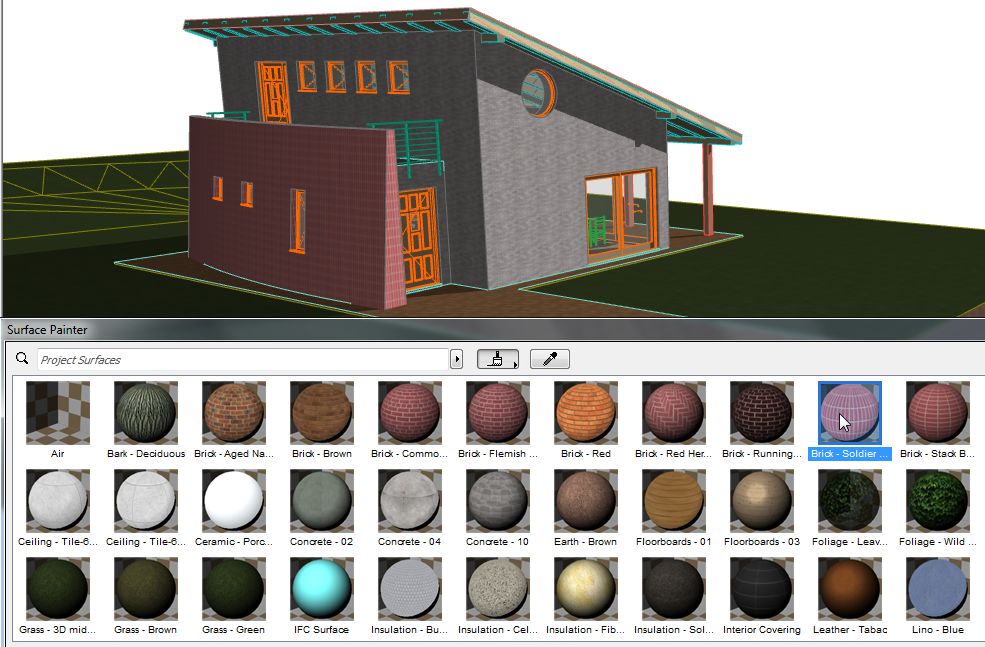
Use the new Surface Painter palette to change element surfaces (either model elements or GDL objects) in the 3D window. With Surface Painter, creative design is instantaneous, and makes for impressive presentations.
“Paint” Elements Directly in 3D
•Pick a surface from Surface Painter (or pipette a surface from a 3D element), then click on an element to paint it
•Another workflow: select any element(s) in the 3D window to add them to Surface Painter’s selection list. Double-click to access and modify their Surface Settings.
•Alternatively, use the two lists in Surface Painter to override surfaces: choose a surface (from the content list) and click another surface (from the selection list) to override that model selection (or use drag and drop to achieve the same)
•The Select All Elements Using Surface context menu command, from a selected Surface in Surface Painter, will get all the model elements which use it
•Remove All Surface Overrides command strips elements (selection or entire model) down to their Building Materials (construction elements only)
Feedback in Paint Mode
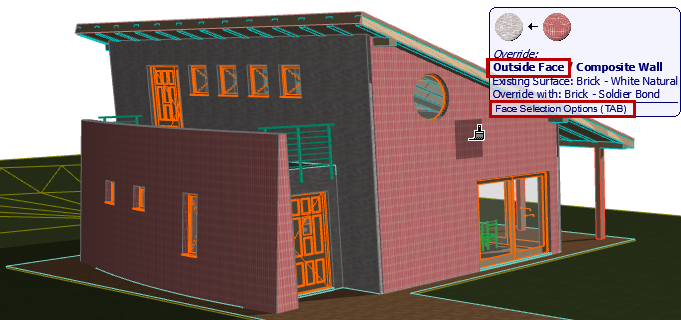
Any time you select a surface from Surface Painter, you enter Paint Mode, providing special feedback as you move your cursor in the 3D window:
•Targeted element surface(s) are highlighted
•Element surface changes temporarily, giving you a preview of how it will look after you paint it
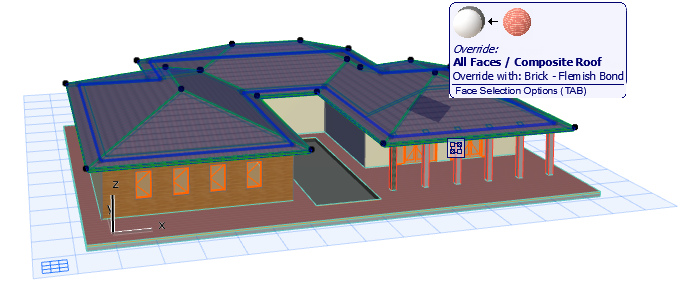
•Info Tag provides graphical and written info on which surface will replace which
•Tab through multiple element faces: paint all surfaces of an element, or just certain faces
Manage Surfaces with Surface Painter Palette
•Use Palette’s search function to identify the right surface
•Option to narrow search to project attributes, surface catalogs, or BIM Components
•From web or catalog, add a surface to the project with one click
•Double-click a surface preview to open Surface Settings, or use its context menu
•Customize the palette view to fit your preferences
•Previews in OpenGL or CineRender
•Small/Medium/Large icons
•Horizontal or vertical arrangement
For more details, see Override Surfaces With Surface Painter in the ARCHICAD Reference Guide.