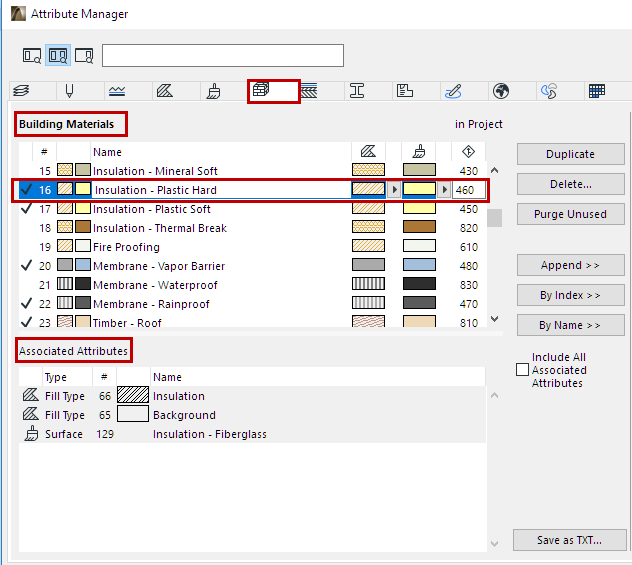
Building Materials (Attribute Manager)
(Parent topic: Attribute Manager: Editable Attribute Parameters)
Select one or more Building Materials.
•Edit Name (single selection only)
•Edit Fill Type and Surface: Click the respective pop-up arrows to choose among Fill Types or Surfaces
•Edit Intersection Priority
Associated Attributes of each selected Building Material:
•Cut Fill (Fill type)
•Surface
–Vectorial hatch (Fill Type)
Notes:
–The project must contain at least one Building Material.
–Building Materials support Delete and Replace. See Delete and Replace Attributes in a Model.
See also Building Materials Dialog Box.