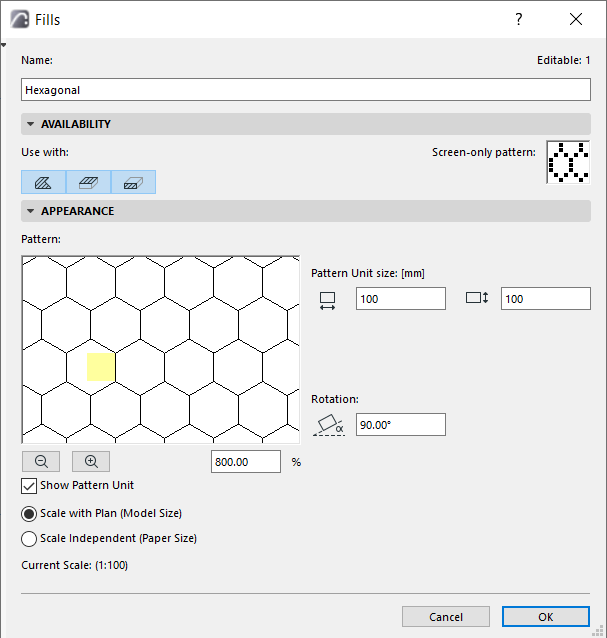
Use the Appearance panel of the Fills Dialog Box (Options > Element Attributes > Fills) to edit vector fills.
Show Pattern Unit: Check this box to place a highlight over the symbol unit in the preview window.
Use the Zoom buttons to see the pattern close up.
Choose a Scaling option: see Scale of Fills.
Pattern Unit size: Enter values for the horizontal and vertical pattern size.
Rotation: You can rotate the pattern by the value entered here.