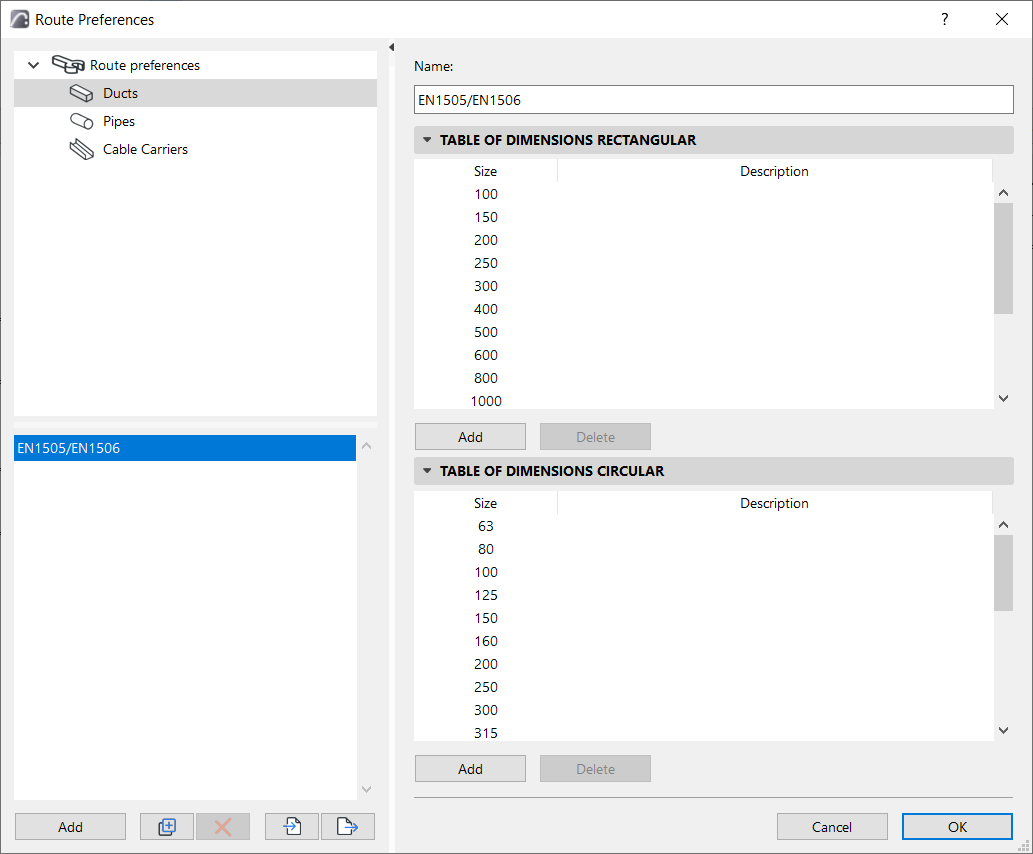
This dialog is at Options > Project Preferences > Route Preferences.
(If you don’t see it, select the MEP Work Environment Profile. See Apply MEP Work Environment)
Use Route Preferences to set up Tables of dimensions for the Duct, Pipe, and Cable Carrier segments in your MEP model.
You can create as many tables of dimensions as needed for each segment type.
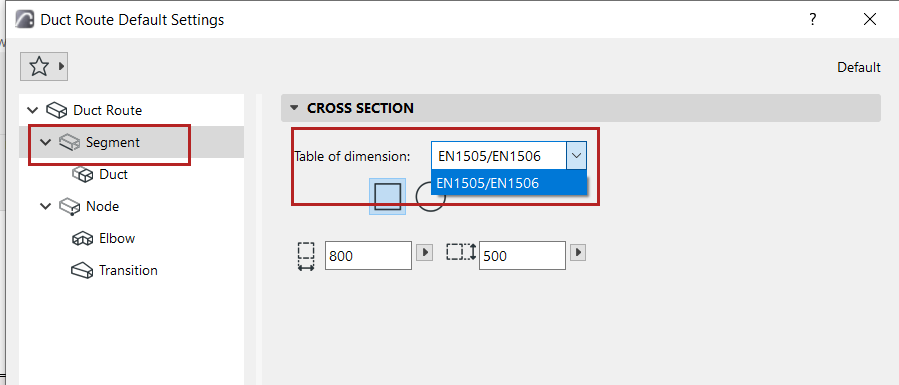
Then choose the table you need in the corresponding Route Segment settings.
Create new Table of Dimensions
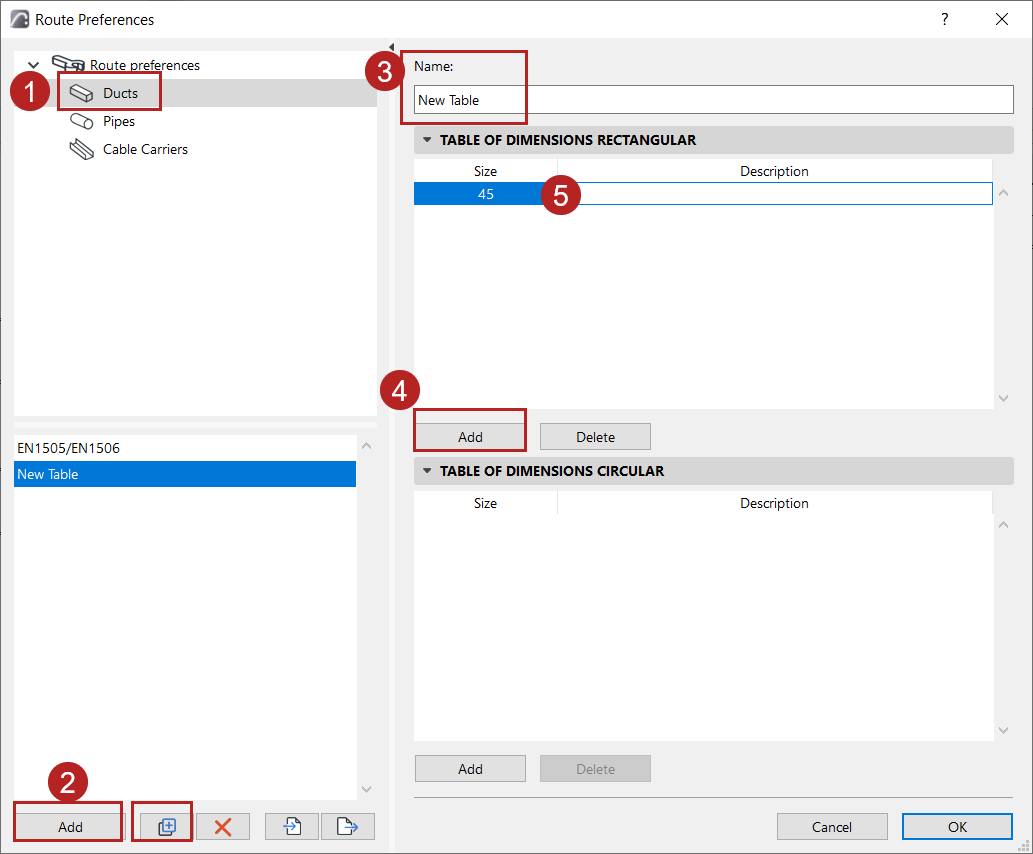
1.On the left side of Route Preferences: select the Segment type (Ducts, Pipes, or Cable Carriers).
2.Click the Add or Duplicate button.
3.On the right side, enter a name for the new table.
4.Click Add
5.Enter the dimension and an optional description. Dimensions are automatically sorted in ascending order.
Import-Export Route Preferences
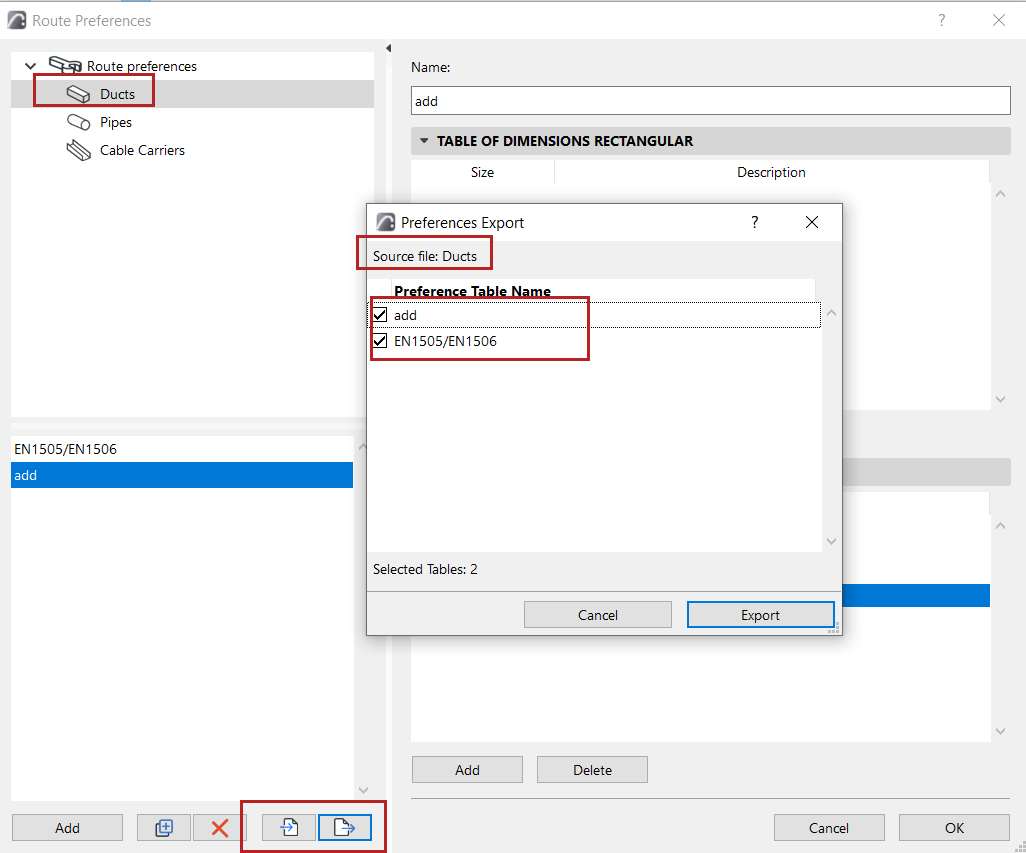
Use the Import and Export buttons to share one or more Dimensions tables of the selected Segment type, via xml files.