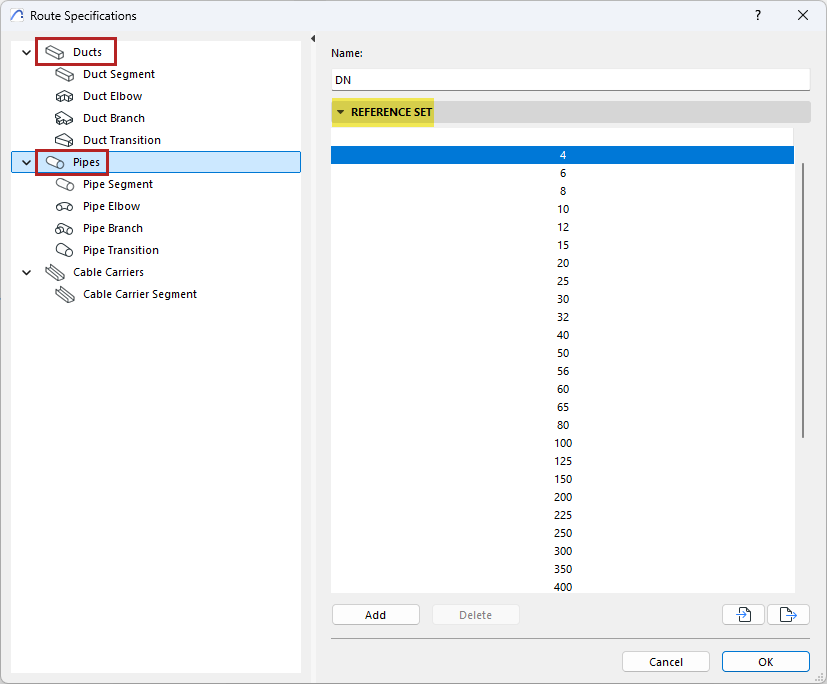
Open at Options > Project Preferences > Route Specifications or from the MEP Designer toolbar.
Use Route Specifications to define
•Reference sets (e.g. DN values) for ducts and pipes
•Tables of dimensions (presets) for each MEP element type (segment, elbow, branch, transition), based on the respective Reference Set
Once you have defined dimension presets based on reference values, it is easy to create MEP routes whose elements always correspond to the sizes you need.
Note: Cable Carriers do not have a Reference Set, but you can define a table of dimensions for cable carrier segments.
Create Reference Sets for Ducts and Pipes
•As needed, edit the Reference Set name
•Use the Add or delete buttons to edit the list of values in the Reference Set
•Import or export Reference Sets as xml files (to use them in other projects)
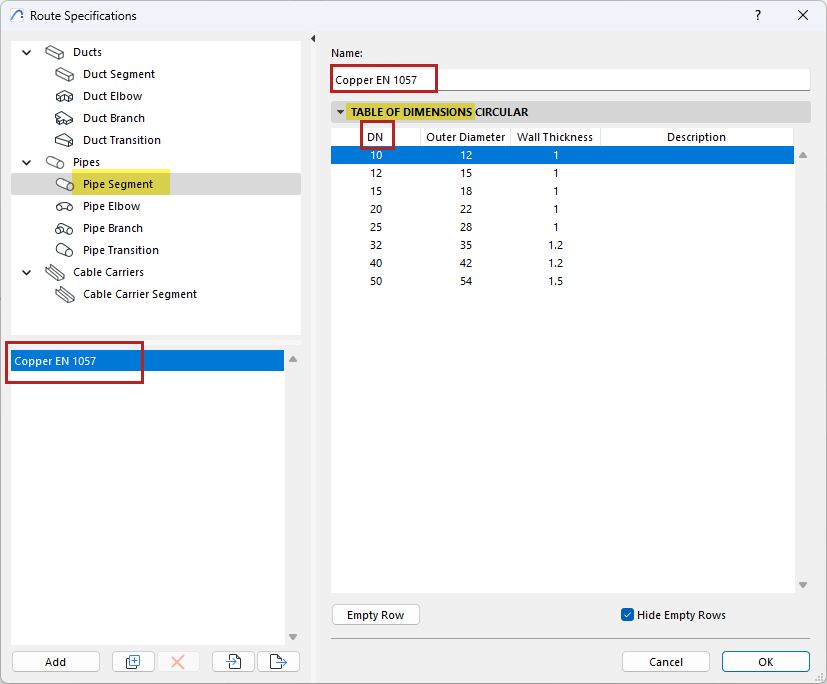
Set up Tables of Dimensions for Segment, Elbow, Branch, Transition
In the Route Specifications, select a MEP element type. Here, you can create or edit its preset tables of dimensions.
•The listed items (e.g. DN items) come from the Reference Set.
•Set desired dimension values for each, as needed.
•The MEP element type can have multiple preset tables of dimensions - click Add or Duplicate to create additional tables.
•Some rows may remain empty if you don’t use that item. Check “Hide empty rows” to display only the used items.
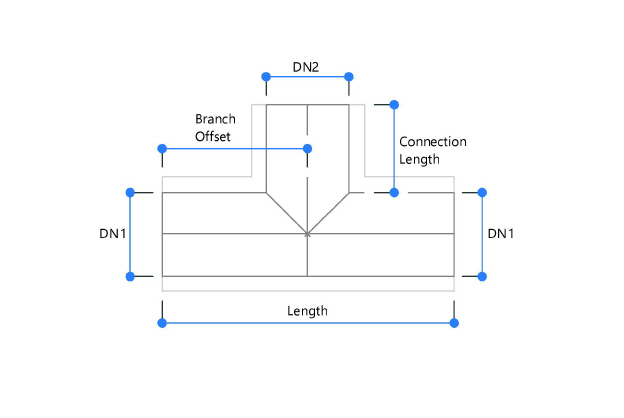
Set Branch dimensions
Branch dimensions include multiple parts. Here are the dimension types you can set:
Choose dimension presets for MEP route
From the info box, choose presets (table of dimensions) for the parts of the MEP route: segments, elbows, branches, and transitions.

•For route segments, choose a Segment Preset
•For route segments: also choose a DN dimension. Elbows and branches of this route will also use the same DN from their respective presets.
•For elbow and transition elements, choose a preset under “Design Criteria”
•For branch elements, choose a preset from “Branch Preset”
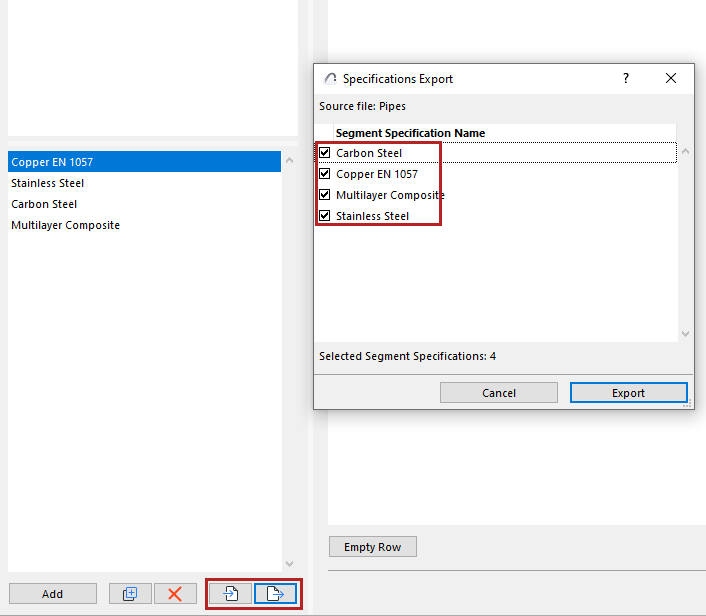
Import-Export Route Preferences
Use the Import and Export buttons to share one or more Dimensions tables of the selected element type, via xml files.
At Export, you can choose which of the tables to export: