Export is based on the SAF Translator settings of the current Archicad project. (See SAF Translators - Overview.)
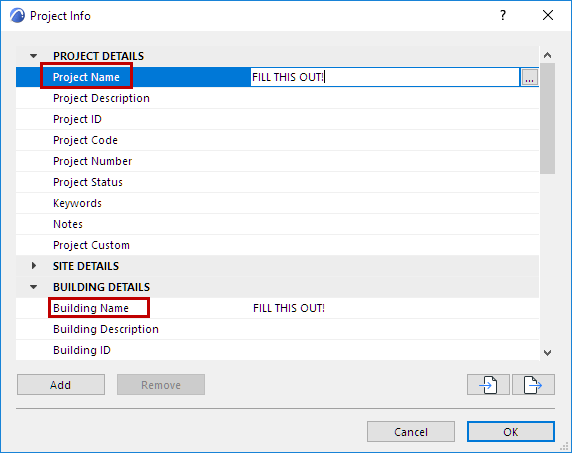
Hint: Before export, it is recommended to fill out the following fields in the Project Info dialog box (File > Info > Project Info).
–Project Name
–Building Name
These data will be visible on the SAF file’s Project and Model Data tab pages.
To export the structural analytical model, do one of the following:
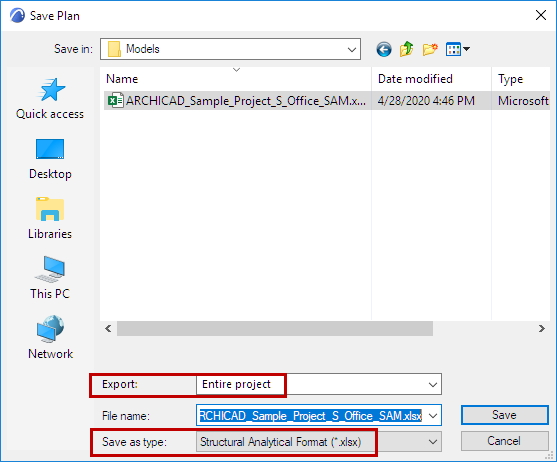
•From the Archicad project (Floor Plan or 3D Window), use File > Save as
–Choose Structural Analytical Format (*.xlsx)
–From the Export pop-up, define whether to export the Entire project, the visible elements in your current view, or selected elements.
•Use Document > Publish to export the analytical Members visible in your published views. (See Publisher.)
You can also use a connection tool to specific analysis tools, for a faster workflow:
•Frilo Connection (developed by Graphisoft): see Export to FRILO.
•SCIA Connection (developed by SCIA), available for download here: Add-ons by Partners