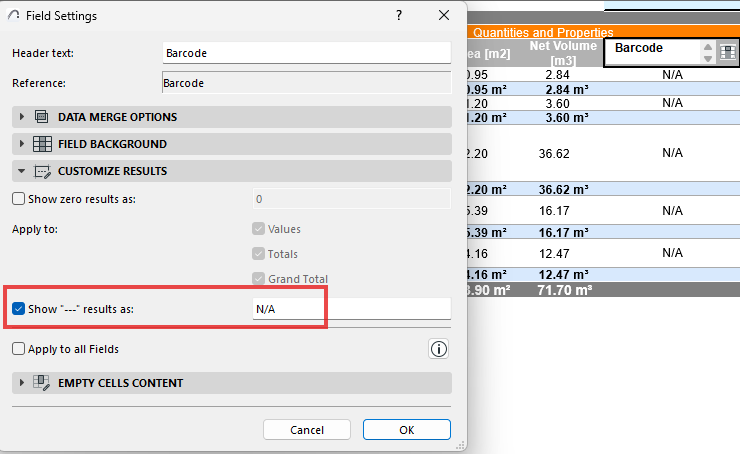
Zero & Non-Evaluated Value Handling
•To help reduce visual clutter and noise of zero values such as “0” or “0.00”, replace these to display any character such as “-”, or leave blank. Safeguards are in place to prevent replacing with numbered values that could create false or misleading outputs.
•For values that can’t be evaluated: You can now customize this character per field. (Previously this was always displayed as “---” in Schedules)
•To help synchronize these options, this checkbox applies these settings to all relevant fields within the same schedule