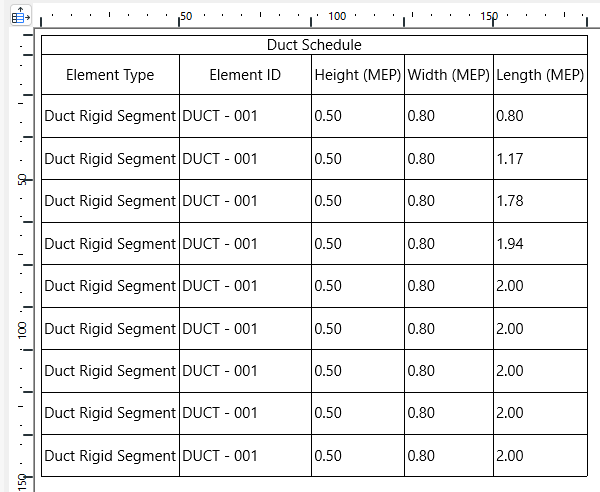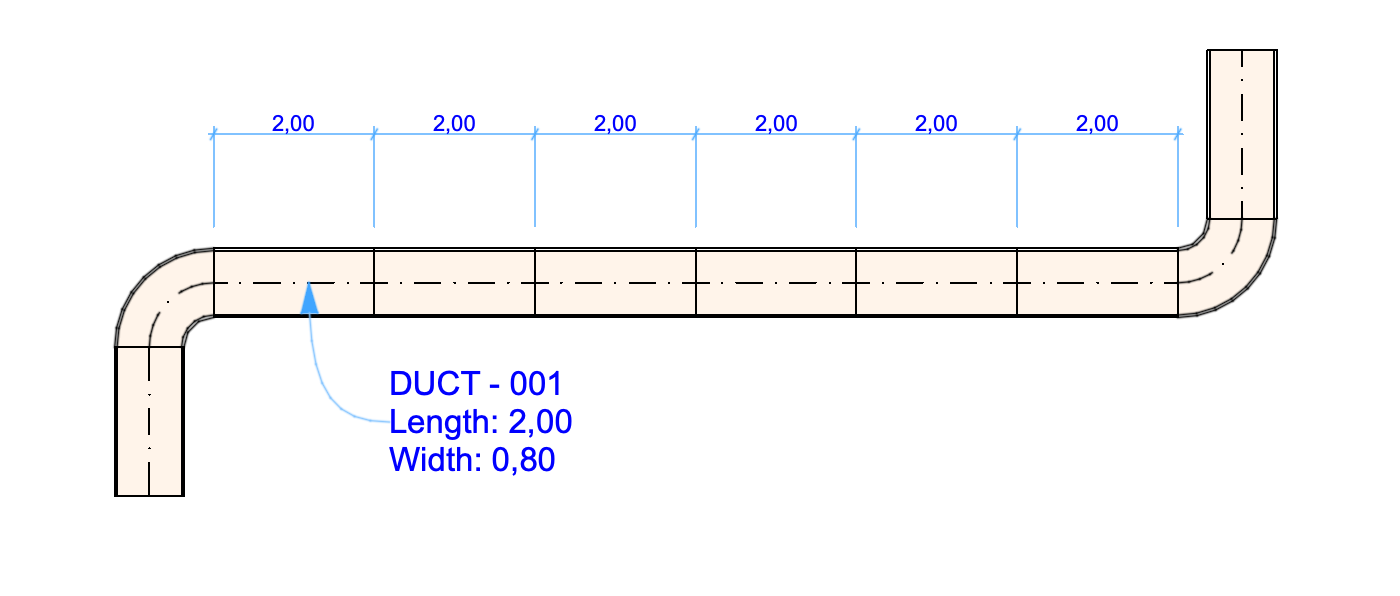
When modeling is underway, you might like to see routes as a single, long element for a clean model view. However, for documentation purposes, it can be more useful to see and extract the actual lengths of the route segments.
MEP Designer now allows you to view and document routes by segment lengths:
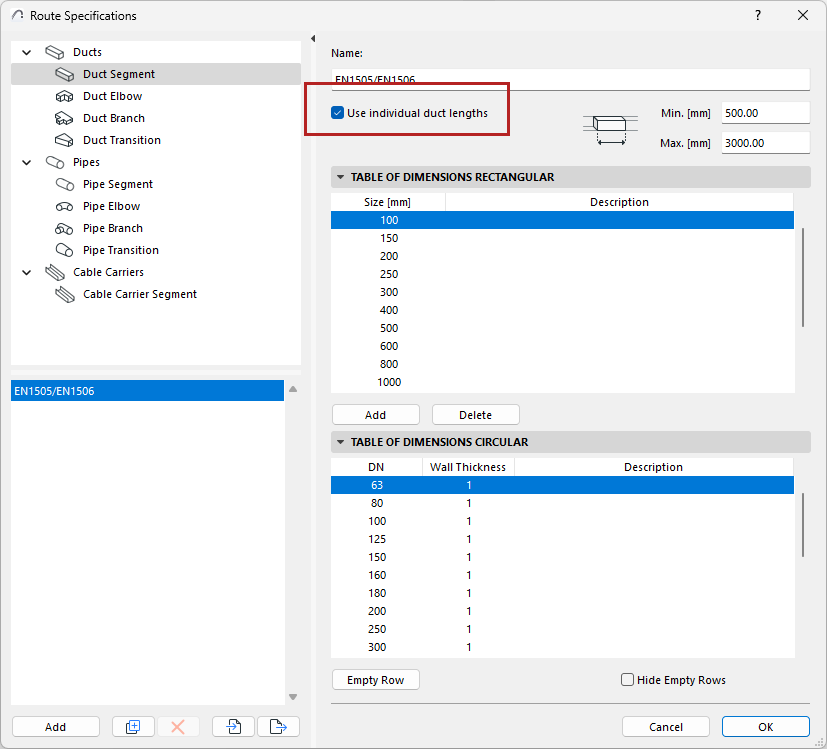
In Route Specifications - for Pipe or Duct segments or Cable carriers:
•Check “Use individual lengths”
•Enter minimum and maximum lengths to reflect the manufacturer’s length specifications (e.g. for your duct type)
Now the model displays each segment length based on your Route Specifications. MEP Designer automatically optimizes the segmentation in case of “leftover” segments.
You can list the segments individually in the Interactive Schedule, and label each segment separately.