List and check ventilation requirements by Zone
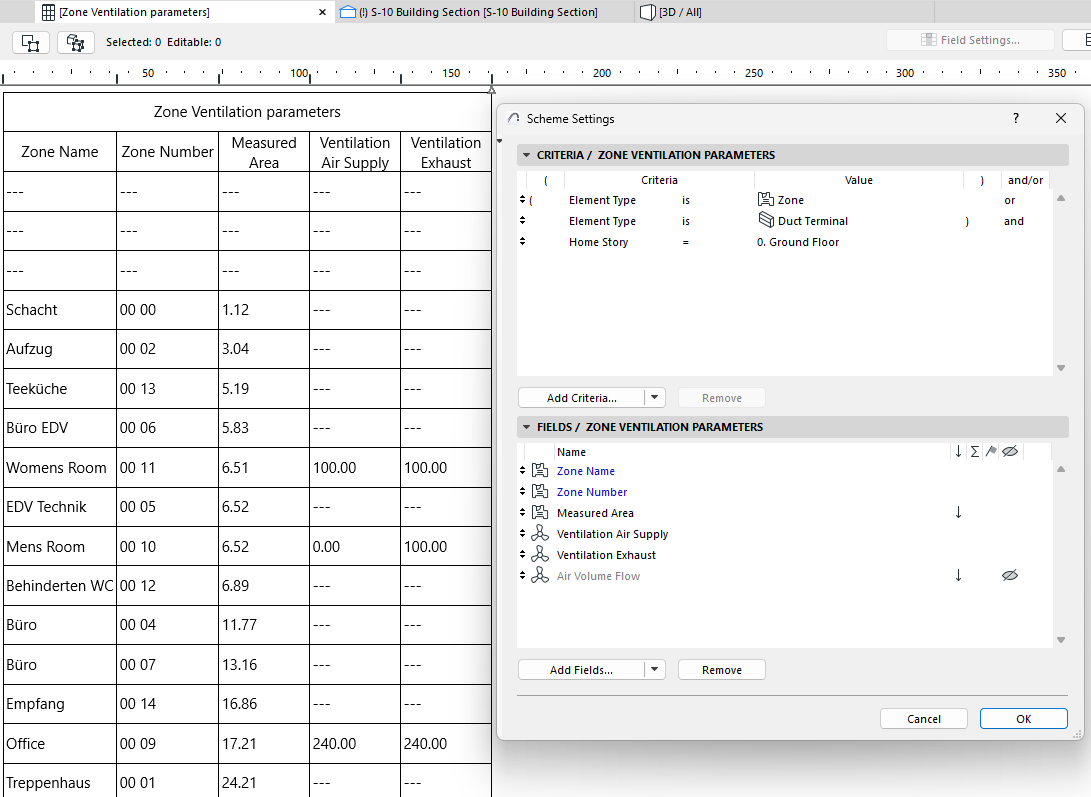
List all the Zones in the model along with their air flow requirement and the current supplied air flow, and detect Terminals, Accessories, and Equipment in Zones.
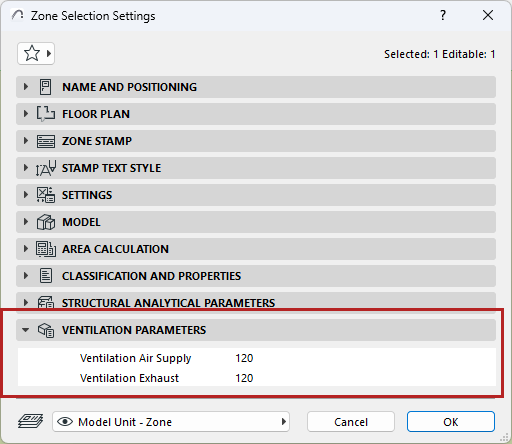
•Define ventilation requirements by zone
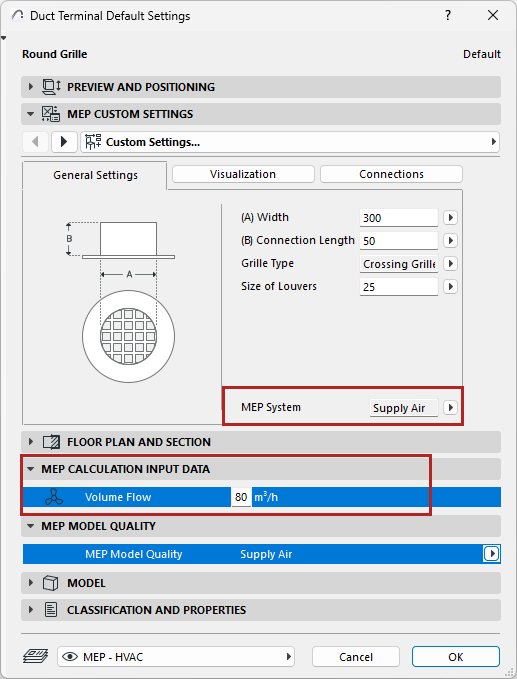
•For each Terminal, enter volume flow data in the MEP Calculation Input Data panel of the Terminal Settings dialog
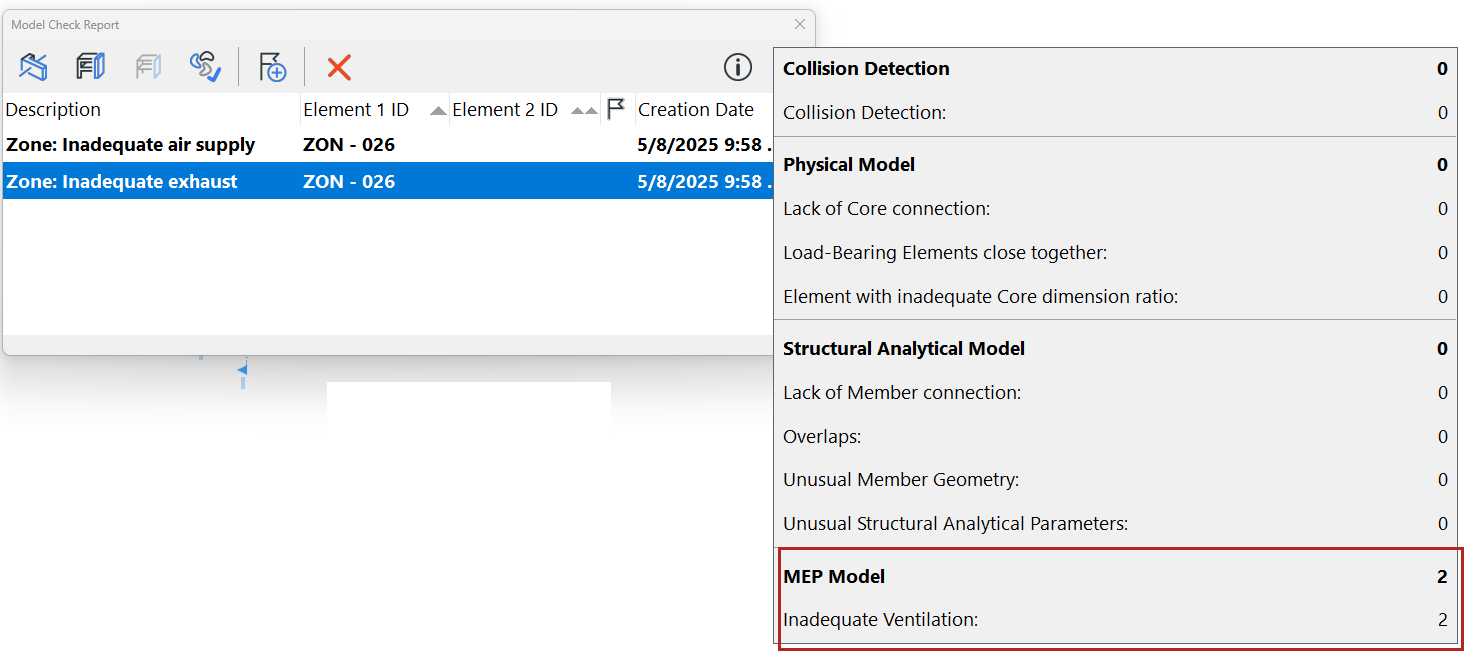
•Use MEP Designer’s built-in check (Design > Model Check > MEP Model Quality) to ensure that the MEP elements (terminals) placed into the zone provide the required supply and exhaust air flow
•See the identified discrepancies on the Model Check Results palette, zoom in on problem elements, and create and manage them as issues
•In the Interactive Schedule: List zones and their terminals together with their respective requirements and air flows, then manually update these data straight from the schedule