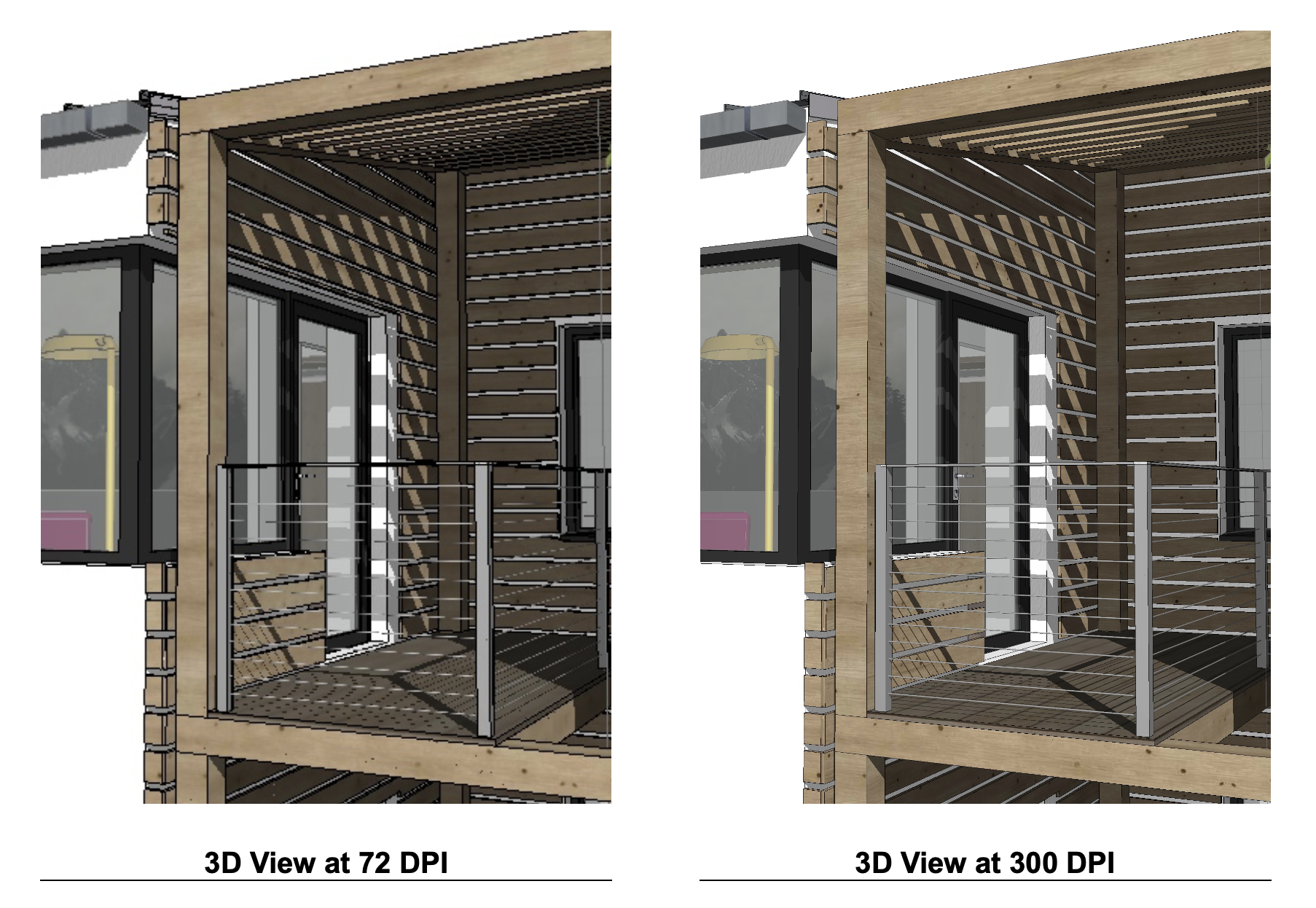
Easily set the DPI resolution for 3D Views, to improve output quality without affecting the size of placed drawings.
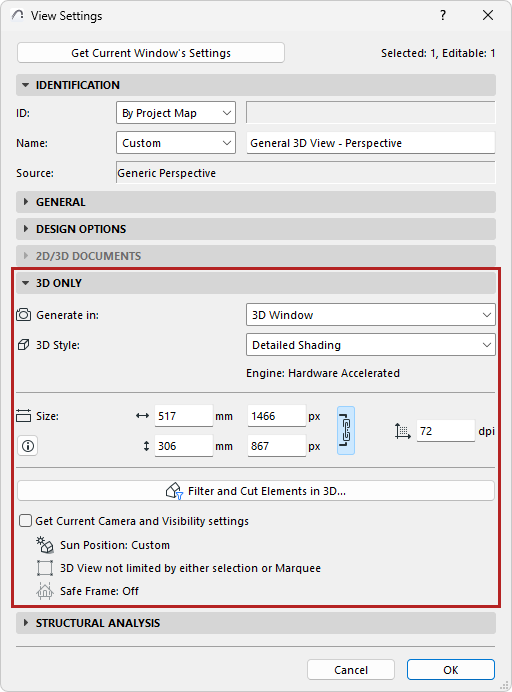
•Edit the expected print size directly in View Settings, based on resolution. Changing the print size, pixel size or resolution automatically affects the others, enabling you to always know the final size and control the final output.
•Updated and clearer UI for “3D Only” View Settings
•Displays relevant engine for ‘3D Window’ based views too (previously supported only for Rendered views)
•Aspect ratio of the image size, stored in the 3D View, can now be locked. This means easier editing of sizes without affecting the proportions.
•Safe Frame is now supported for 3D Window based views (previously supported only for Rendered views)
•‘Redefine Image Settings with current' checkbox in the View Settings has been renamed to ‘Get Current Camera and Visibility settings’. This control no longer affects image size/resolution, but still updates camera position and element visibility. Turning this checkbox on and off now gives instant feedback in the dialog. (The behavior of the context menu command to redefine hasn’t changed.)
When migrating a file from a previous version, we have prioritized keeping the drawing size intact, but some DPI and zooming of images may change, due to code logic changes and errors in the previous behavior
.