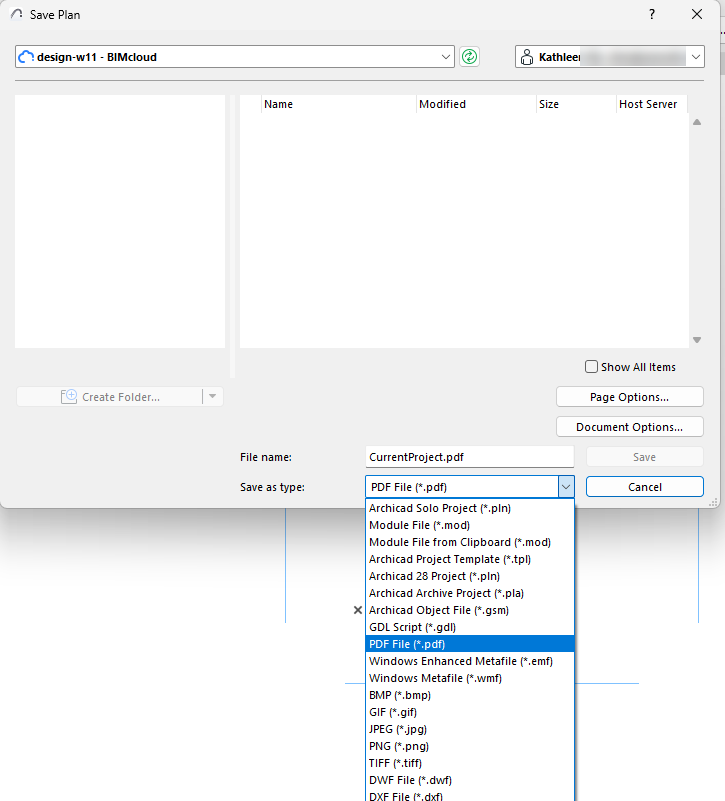
Use File > Save to save your project under a new name, archive it or save the current window’s contents in a variety of file formats.
•Some of the available options may depend on the set of currently loaded Add-ons.
•Some file formats are 2D-only or 3D-only formats.
See Save File Types.
•Basic Element, Component and Zone Lists can be saved as Plain Text, Tabulated Text, HTML tables or PDF. Click either radio button to include the file’s Used Column only or All Columns in the file.
•Formatted lists including graphic information can be saved in.rtf (Rich Text Format), Project format, or PDF.
Save from Schedule Window (Interactive Schedule)
Schedules can be saved in the following formats: Tabbed text, DWF, .xls, .doc and PDF.
Export to BIMcloud
Use File > Export to BIMcloud to upload the project to the BIMcloud.
Note: To use this function, you must be logged on as a BIMcloud user.
Choose from the supported file types, such as PDF, DWG, IFC, or MOD, to make the file available for other BIMcloud users.
•Although it is possible to export PLN files to BIMcloud, this does not enable collaboration with a Teamwork Project. To create a Teamwork project, see Share a Teamwork Project.
•You can also save files to BIMcloud using the Publisher. For details, see Define Publishing Method: Print, Save, Plot, BIMx