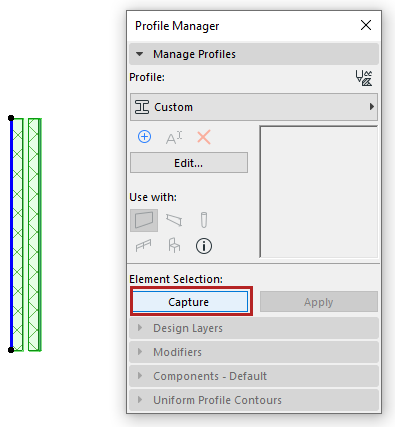
Capture Selected Element as Custom Profile
To create a new custom profile based on selected elements (walls, columns, or beams) in the active model window:
Select the elements, then do one of the following:
•Click Capture button in Profile Manager
•Options > Complex Profiles > Capture Profile of Selection
The new profile is called “Custom”.
After editing a captured custom profile in Profile Editor, make sure you click Save Profile to save your edits and name the new Profile, before closing the window.
Alternatively, click Apply to apply a one-off custom to a selected wall, beam or column.
Note: Custom profiles are not directly assigned to elements from the Profile Manager, but locally stored in the element.
See also Save Named Profile.