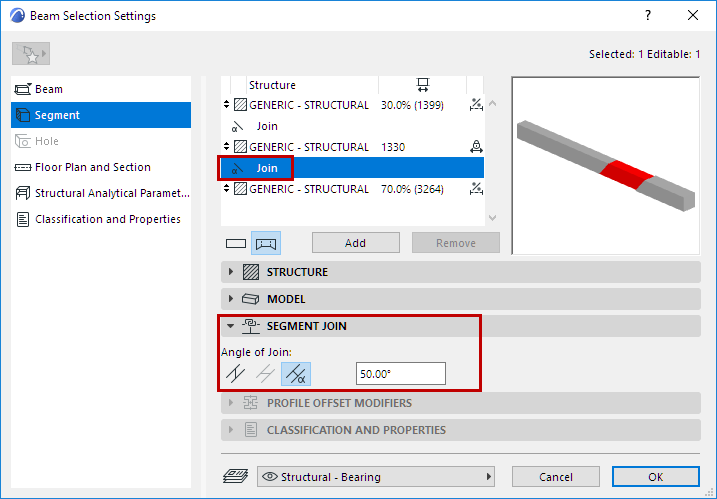
In Beam Settings:
For a Join component selected in the list (at the top of Beam Segment Settings): Use the Segment Join panel (below) to define its angle as horizontal, vertical or custom.
Note: Vertical Join available for slanted Beam only.
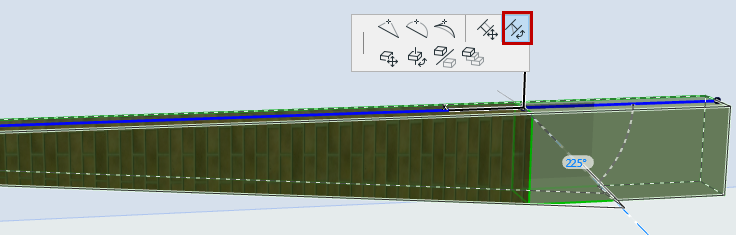
In 3D Window:
Joins can be edited graphically:
1.Select the Beam in the 3D window.
2.Click the Join hotspot (on the Beam reference line).
3.From the pet palette, use Rotate Join Angle to adjust the Join angle