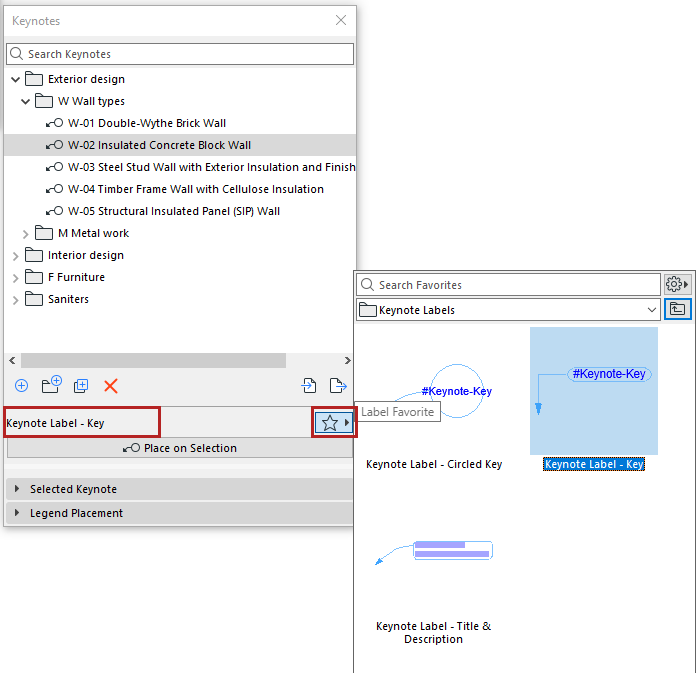
Keynote Label Favorite
When you use “Place Label” from the Keynotes palette, the Keynote uses settings of the current Favorite in the Keynote palette. The name of this current Favorite is shown in the palette, next to the Favorite chooser icon.
If the Keynote palette says “Using default Label”, the Keynote is using the current Label tool default.
Change this by choosing any Keynote favorite from the popup. (The Keynote favorite then becomes your Label tool favorite, too.)
Saving Keynote Label Favorites
1.Create an Text/Autotext Label that contains Keynote autotexts.
2.Select this Label and open Label Selection Settings.
3.Save a new favorite based on the current Label.