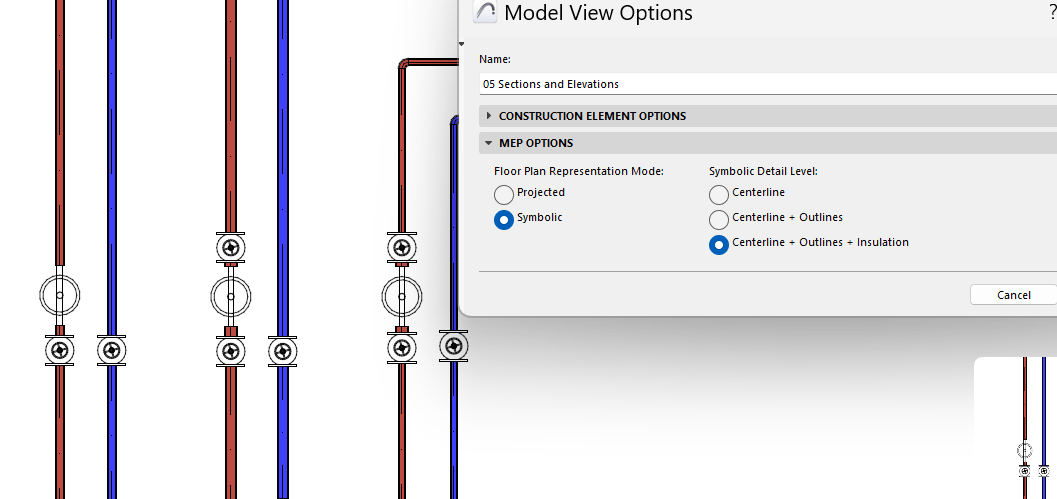
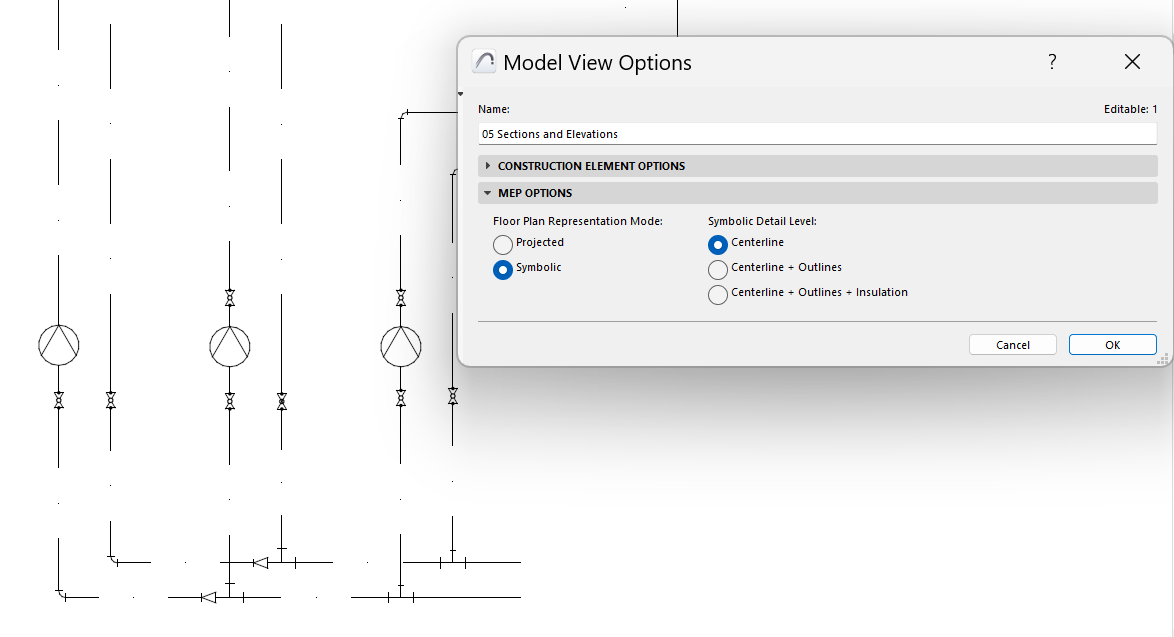
Symbolic representation of MEP elements
Available with Archicad Collaborate
Choose either Projected or Symbolic to display MEP elements on the Floor Plan, to fit your documentation standards:
1.Go to Document > Model View > Model View Options
2.In the MEP Options panel: Choose Projected or Symbolic
3.For Symbolic, choose your preferred detail level.
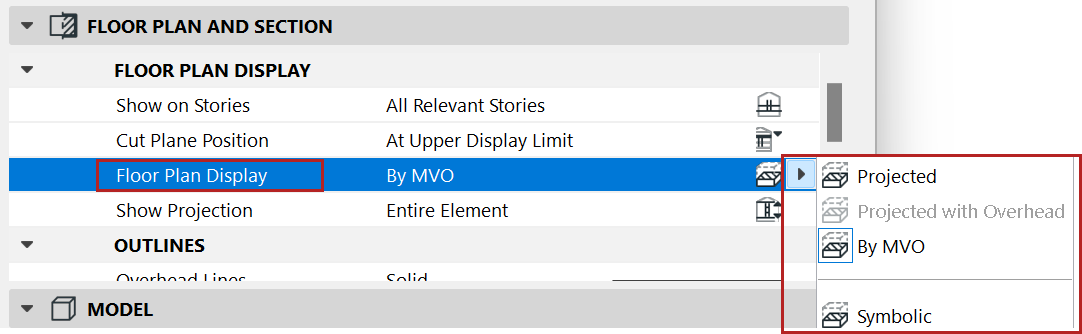
For Model View Options to take effect for any route, make sure its Floor Plan display option (at Route Settings) remains set to “By MVO”.
You can also override this setting, choosing Projected or Symbolic for any individual route.
See also Create custom MEP symbol.