Organize Viewpoints in Project Map
Within the Project Map, you might generate a large number of Sections, Elevation, Worksheets etc. The list can get unwieldy and difficult to browse.
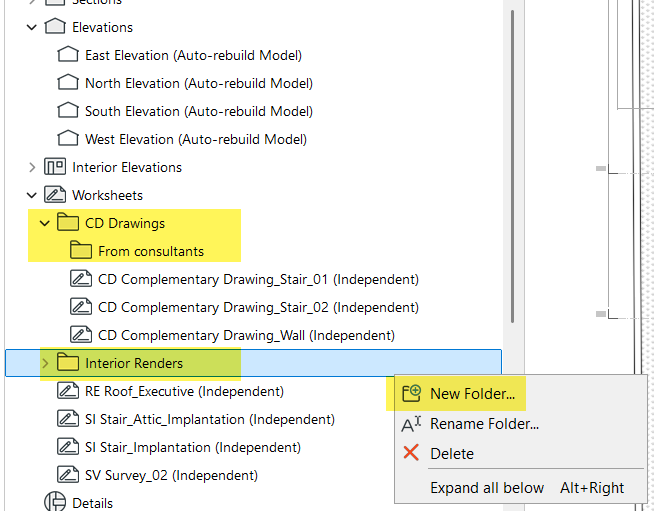
In Archicad 30, you can now create custom folders and sub-folders for Sections, Elevation, Interior Elevations, Worksheets, Details and 3D Documents.
-
Easily drag and drop viewpoints between folders within the same viewpoint type
-
Viewpoints are now more logically ordered by natural sorting, to recognize numbering situations and to list folders first (similar to behavior in attribute lists)
-
As part of this development, we’ve added new, clearer icons to context menu commands throughout the Navigator, such as New and Rename.
Clone a Folder improvements
Clone a Folder workflow supports Project Map folders. You can decide to clone only a sub-selection of viewpoints (rather than all viewpoints of the same type as in previous versions).
If viewpoints are moved between folders, the clone folders are automatically updated.