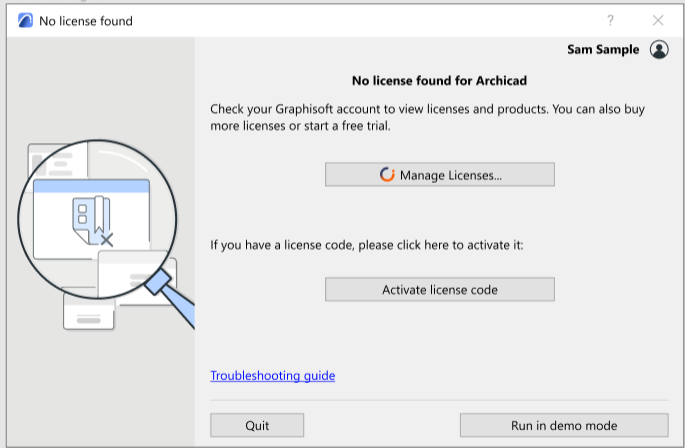
No license found - at startup
This dialog box appears when you start the program and you are signed in, but your license is not available.
Why don’t I have a license?
Possible reasons:
- Your Company account administrator has not assigned a license to your Graphisoft account
- You had an assigned license, but it expired (and your contract manager did not renew it, e.g. due to issues with the payment)
- You had an assigned license, but your contract manager canceled the subscription
- You signed in to a Graphisoft account with the wrong Graphisoft ID, and that account does not have an assigned license
What should I do now?
One of the following:
- Click Manage Licenses to check you license status in your Graphisoft account, and try to fix it.
- Ask your Graphisoft account administrator or contract manager to assign or buy a license for you
- If you have an EDU or Emergency license, click Activate license code to enter it.
- Click the button to Run in demo mode