Assign composite to wall, slab, roof or shell
- Open the element settings (wall, slab, roof, or shell).
- In the Geometry and Positioning Panel, click the “Composite” icon.
- Use the pop-up to select a composite structure.
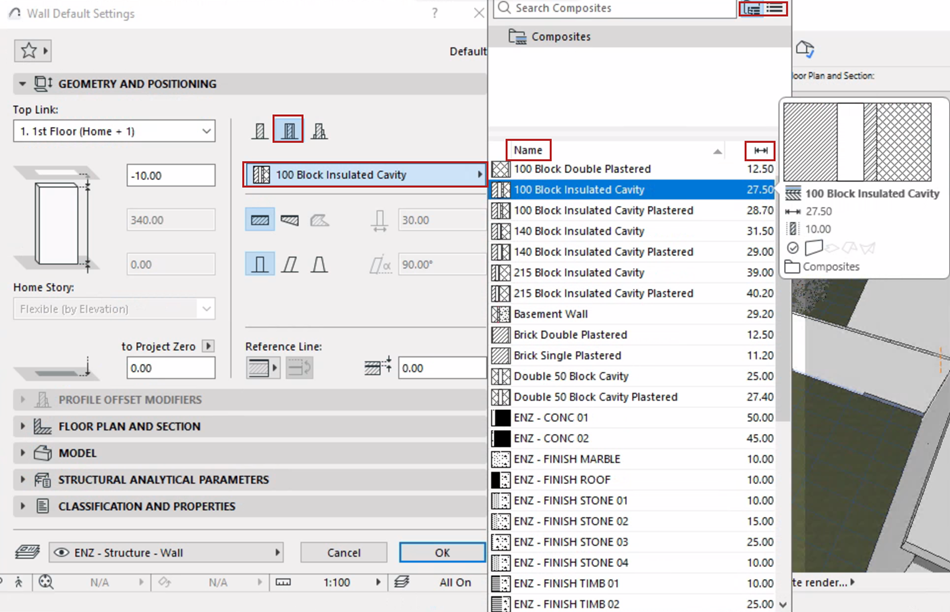 Note: This pop-up lists composites whose “use with” setting includes your element type: see “Use With” - define composite availability
 - The composite is applied to the currently selected element.