Pen Sets
Pen Sets are listed and managed Options > Element Attributes > Pens & Color.
or
Document > Pen Sets > Pens & Color.
You can just use the default pen set, or you can apply a different Pen Set for your project, depending on the purpose of the current output.
The Layout and Model can refer to different pen tables. This means that you can define a separate set of pens to use on Layouts for the best printing and plotting results.
To assign a pen to an element, open the pencolor pop-up (in the element settings dialog box or in the Info Box of a selected element) and choose the desired pen for the element or one of its components - such as the cut line pen assigned to the slab in the following image:
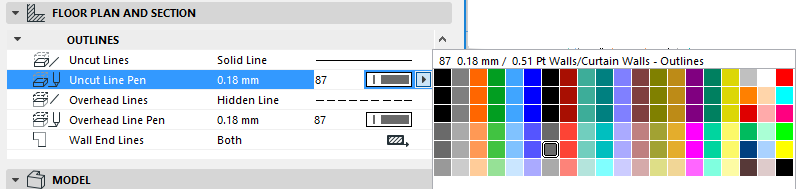
The available pens in these pop-ups are derived from the Pen Set currently applied for this project.