Load Cinema 4D material
Use this command to import the settings of a specific Cinema4D material from an external file; these settings will be loaded for the current surface.
From the Match Settings pop-up in Surfaces, choose Load C4D Settings.
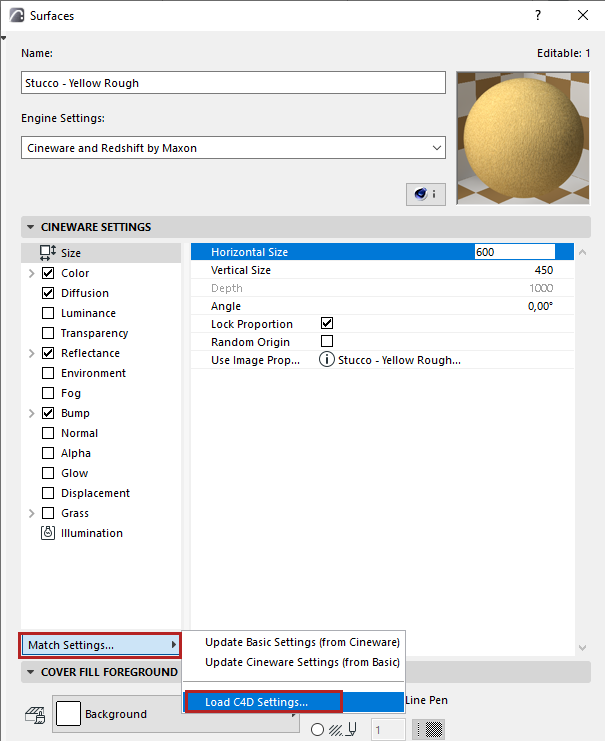
In the appearing dialog box, browse for a Cinema 4D file. This can be either a single material or an entire model in Cinema 4D format.
If you choose a model file, a chooser dialog box appears: Select the Cinema4D Material you need.
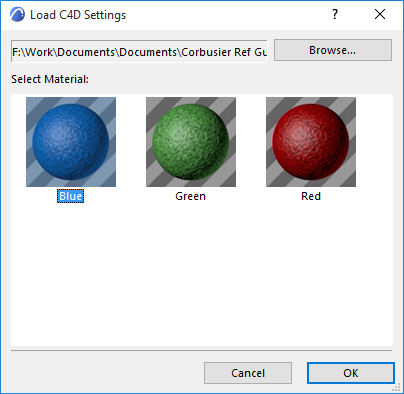
Click OK to load the chosen material. Its settings override those of your current surface.
Note:
- The maximum number of parameters that can be used in a surface is 1024. (See Limit on Number of Surface Parameters ).
- Node-based Materials from CINEMA 4D are not supported. Such imported materials will be displayed with a specially generated material instead.