Set up Snap Grid
The Snap Grid is an invisible grid that you can use optionally to make input easier, by having the cursor snap to a predefined distances.
To define a Snap Grid:
- Open View > Grid & Editing Plane Options > Grids & Background.
- Use the controls under Snap Grid/Nudge to define the intervals
(horizontal and vertical directions) to which the cursor will snap when Snap Grid is activated.
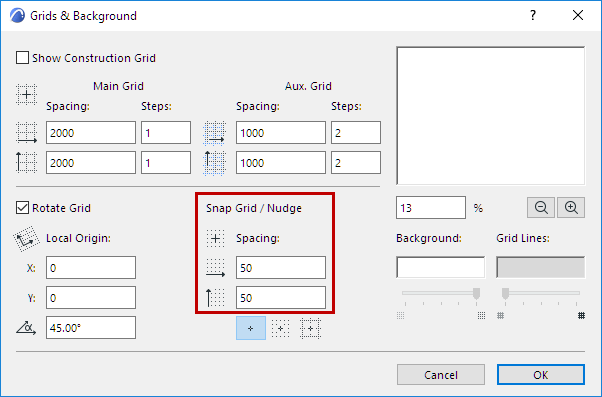
You will usually enter the smallest unit of measurement relevant to your Project. You can set different horizontal and vertical Snap Grid increments, allowing you to reflect the unique geometry of your Project.
Note: The Snap increments you define here can also be used for
the Nudge shortcut - to easily move any element by a small defined factor, using your
arrow keys. See
Nudging
Elements.