Adding Element Nodes
You can add new nodes to elements using the pet palette.
Adding a node to a straight linear element creates an additional element.
Adding a node to a polygon-type element increases the number of its edges.
In the 3D Window, you can add nodes only to polygonal elements.
To add a node to an element:
- Select the element.
- Click an edge of the element to bring up the pet palette.
- Choose the Insert new node icon.
- Click to define the location of the new node.
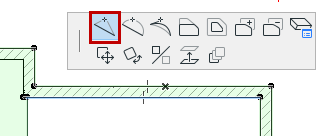
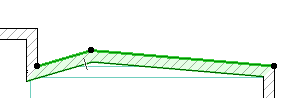
To insert a new node without moving it, double-click on a polygon edge. (The Insert node option must be active in the pet palette.)