Add Additional Curtain Wall Boundary
A single Curtain Wall can include several Boundaries. The advantage is that you can create several separate shapes or sections within a single Curtain Wall, yet use an identical Scheme for all of them.
- Draw a straight Curtain Wall on one of the surfaces using the usual methods.
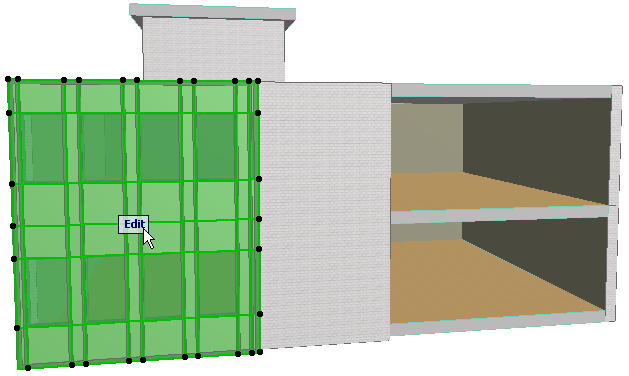
- Select the Curtain Wall and go into Edit mode. Make sure that the Environment display option is switched On.
- Select the Scheme tool and the Boundary Input method.

Now click on the desired Curtain Wall segment in which you wish to draw.
- Start drawing a new Boundary. You are drawing on the Base Surface of the currently edited Curtain Wall.
- Try editing a selected grid line, or edit the Panel pattern. Note that both “parts” of the Curtain Wall are handled in sync, because they are built upon a single Base Surface and a single Scheme.