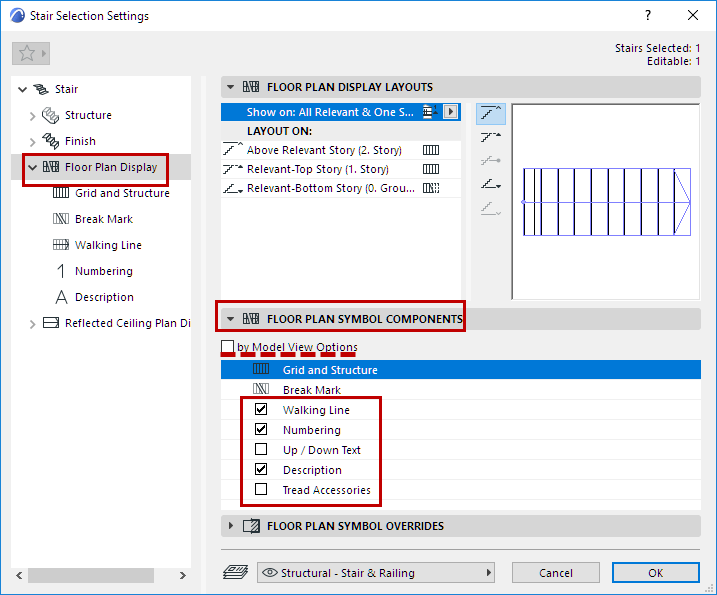
Stair Settings: Symbol Components
Show or hide each symbol component of the Stair. (Overrides the show/hide definitions at Model View options.)
These controls are available for both the Floor Plan Display node and the Reflected Ceiling Plan Display node of Stair Settings.
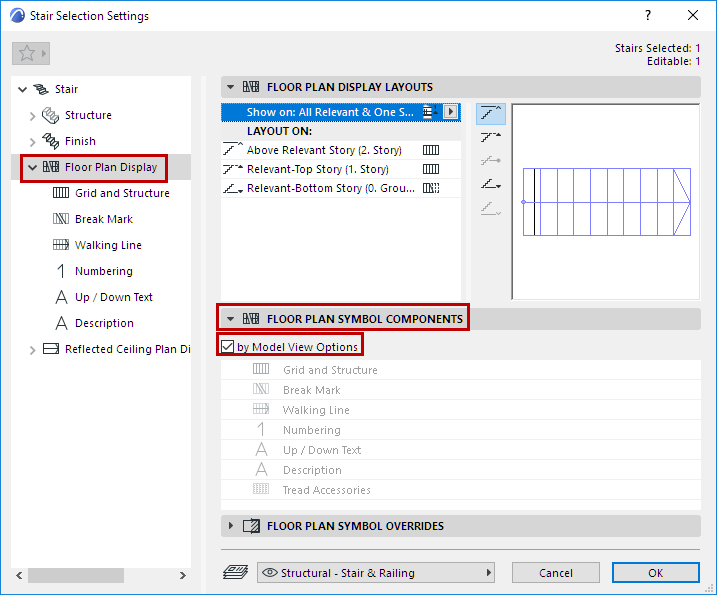
Symbol Components: Show or hide based on Model View Options
Check this to show/hide the Stair’s 2D components as defined at Document > Model View > Model View Options.
Symbol Components: Customize in Stair Settings
Uncheck “by Model View Options” and use the list below to specify which symbols to show or hide.
For example: If you have both an existing and a new Stair in the same view, you may prefer to display the existing one with less detail.
Select that Stair, open its Settings, and uncheck By Model View Options.
From the list below, uncheck the items (e.g. Description, Numbering) that you don’t need to see on that Stair.