Toprail Settings (Railing Tool)
Each Segment has a single Toprail which sits atop the Segment: Toprail height is therefore equal to the Segment height (defined in Segment Settings. See Segment Height and Vertical Offset .)
You cannot edit Segment height in Toprail Settings.
You add a total of one Toprail to a Segment. (Click the Plus sign to place it.)
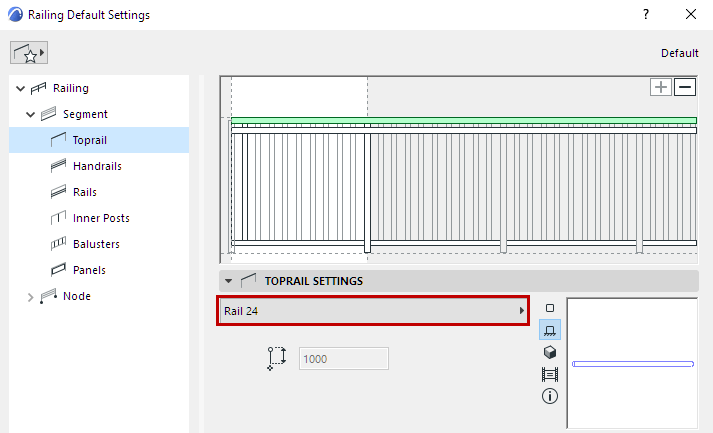
Choose a GDL component as the Toprail, or choose Invisible from the pop-up (if you do not want to place a physical Toprail).
To define settings for the GDL component, use the panel below. See Rail Component Settings (Toprail/Handrail/Rail).
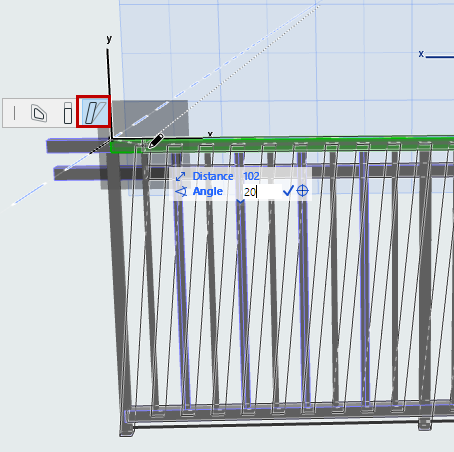
Slant or Skew Railing in Edit Mode
- In Edit Mode, select the Toprail.
- From the pet palette, use the Modify Angle command to adjust the Slant angle graphically.
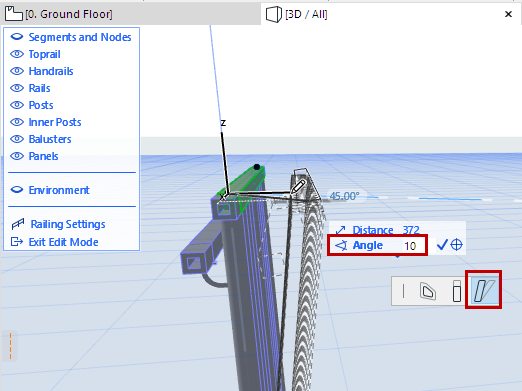
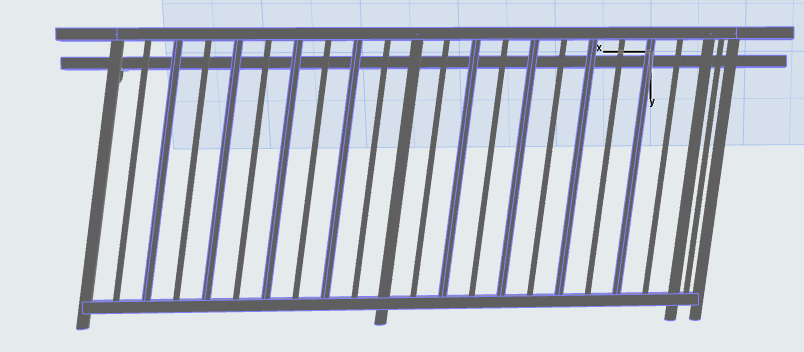
The entire Railing Segment follows - this is equivalent to changing the Segment’s Slant angle.
Similarly, you can skew the Railing graphically: Select the Toprail in Edit mode and use Modify Angle along the vertical editing plane.