Column Model Display
Use the Model Panel of Column Settings (Segment page) to override Column surface(s).
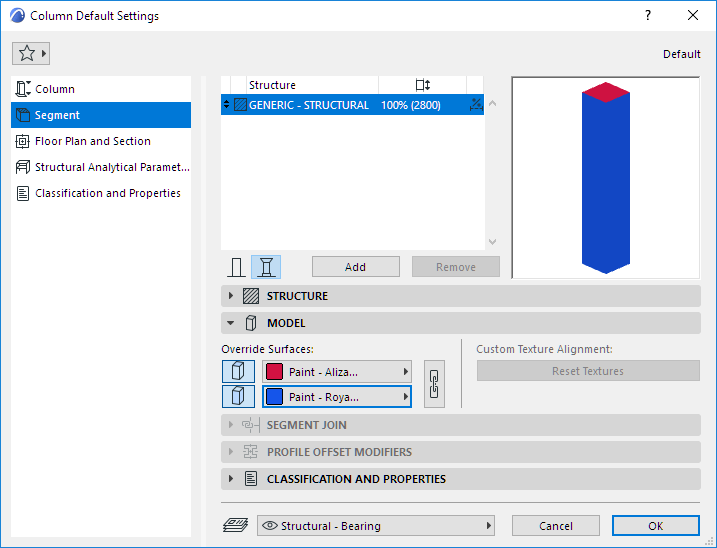
Override Surface: Click to override the surfaces assigned to this column or segment in its Building Material:
- Top and Bottom Surfaces
- Side (Extrusion) SurfacesNote: For Columns placed with the Wrapped method, the choice you make here is overridden by the surfaces of the Walls that they intersect. (See 3D Display of Wrapped Columns.)Note: For a Profile Column, you can also apply a Custom surface to any edge(s) of the profile element. (See Apply Custom Surface or Line to Profile Edge.)
Custom Texture Alignment: If this message is activated, it indicates that the currently selected column (already placed in the project) has been assigned a custom 3D texture.
- In this case, you can click Reset Texture to restore the origin of the Texture of the selected column or segment.
For more information, see Align 3D Texture.