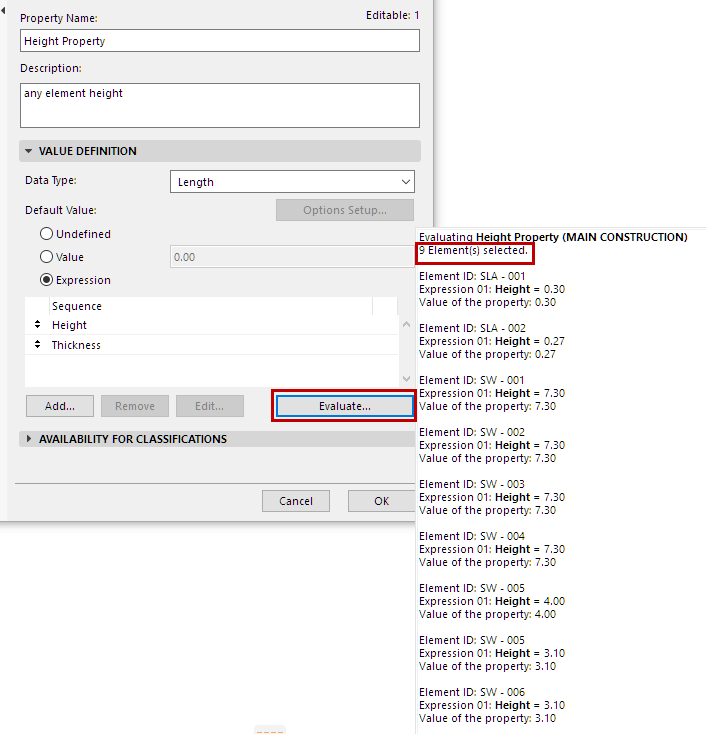
Evaluate Expression-Defined Property
Expression-defined properties are evaluated for model elements in schedules, labels and Zone Stamps, for example.
You can also check the property value for any selected element in the following ways:
Check Property Value in Info Box
To evaluate a selected element’s expression-defined Property: Open the Property list from the Info box, and click the calculator icon for that property.
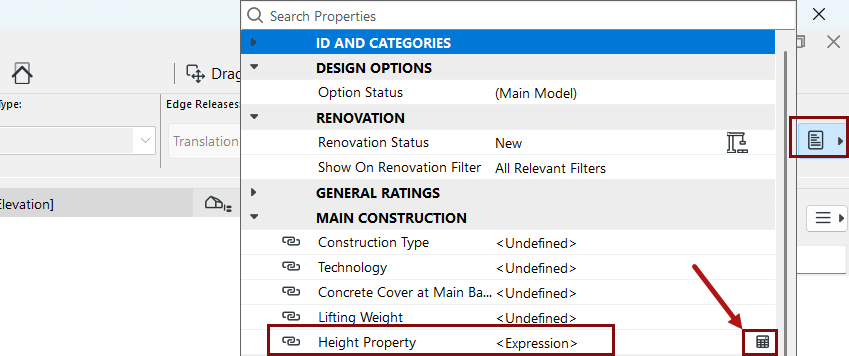
(Expression-defined properties are also listed in Element Settings, but the actual values cannot be shown.)
Evaluate a Property in Property Manager
If it is a new Property: You must first click OK to close Property Manager and save the new Property.