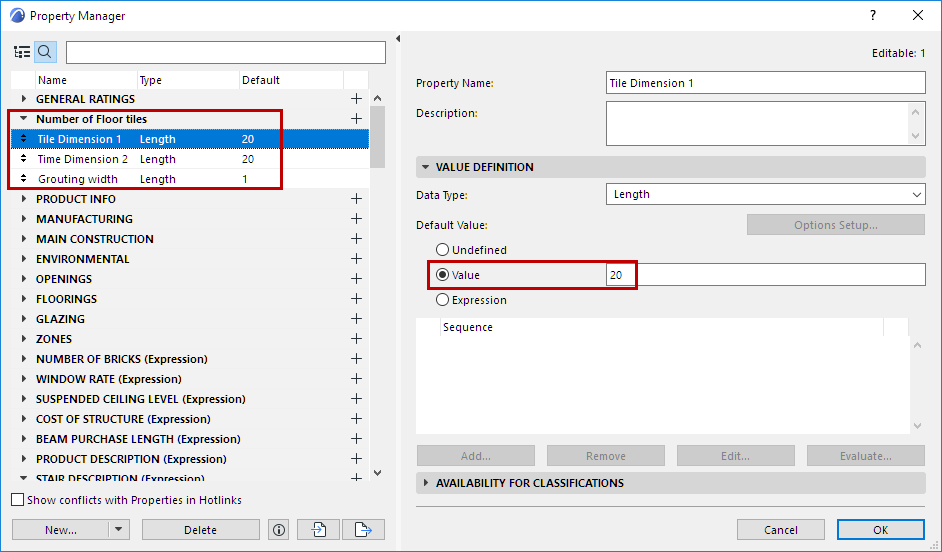
Example 9: Calculate Number of Tiles to Purchase
For a given Slab, how many tiles are needed to cover it?
- Define three Properties for Tile dimensions: Tile Dimension 1 and Tile Dimension 2, and the Grouting dimension.
- Define an expression called “Number of tiles - not rounded”, using the three dimensions you defined in Step 1, to calculate the number of tiles needed to cover the slab:
Take the Top Surface Area of the Slab and divide it by the area of the tile, including grouting. (For tile area: Add the grouting length to each tile dimension, then multiply them.)
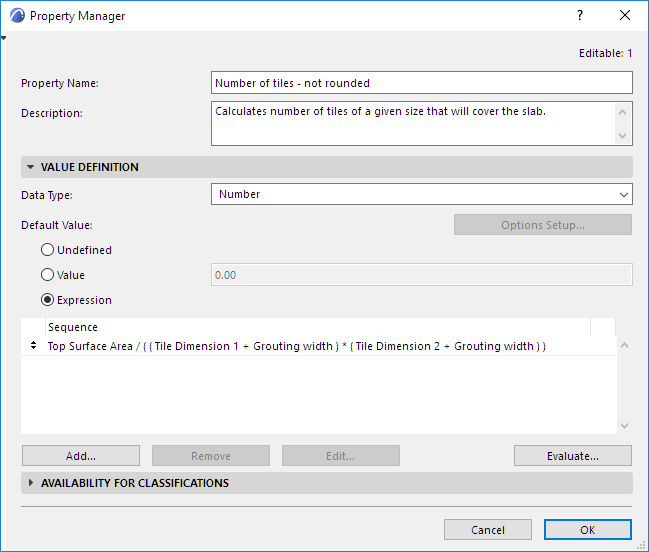
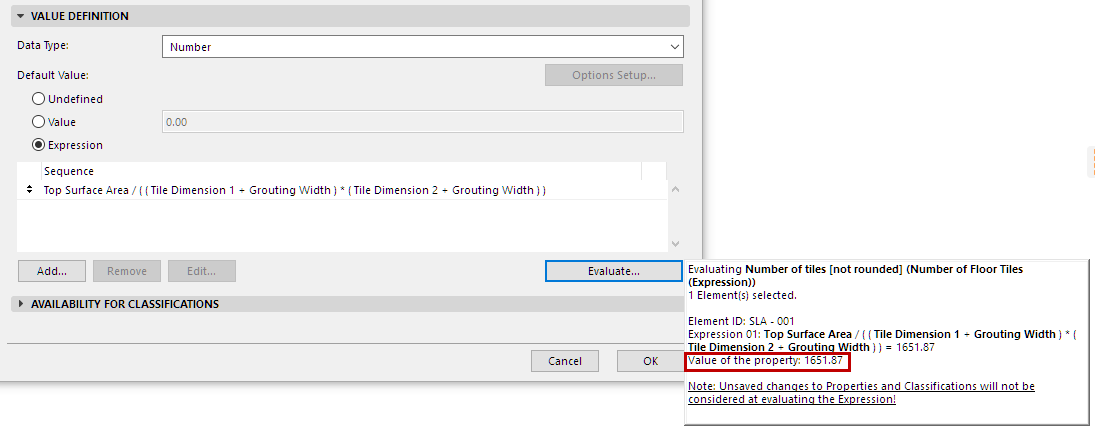
Evaluate for the selected Slab to see the resulting Property value:
- Define another expression (using the expression you defined in Step 2) that rounds up the number of tiles to a whole number.
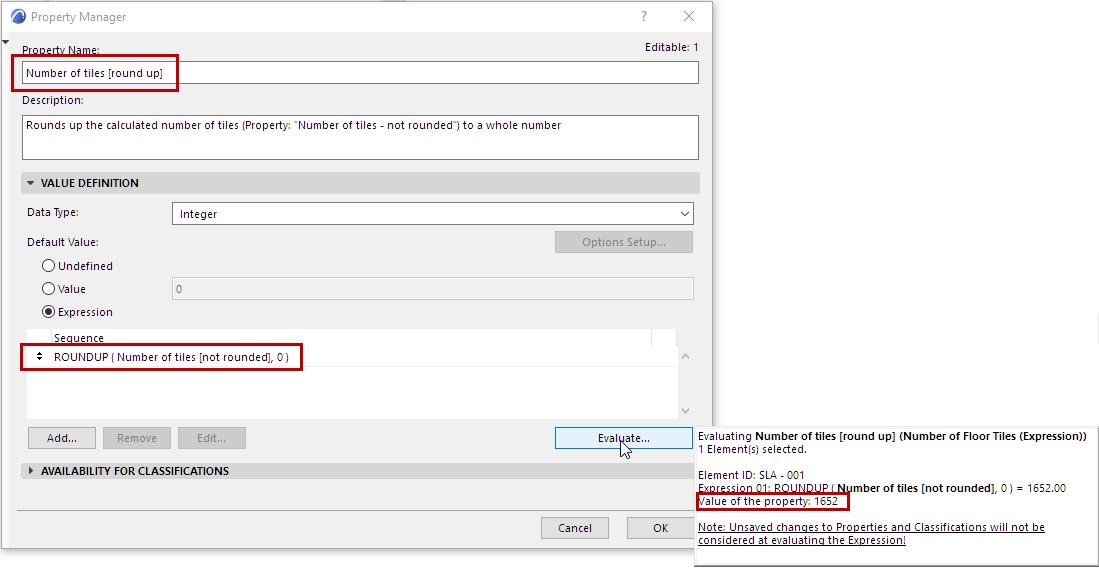
See
Round Up [ROUNDUP]for information on this function’s arguments and data types.