Errors in Expressions and How to Fix Them
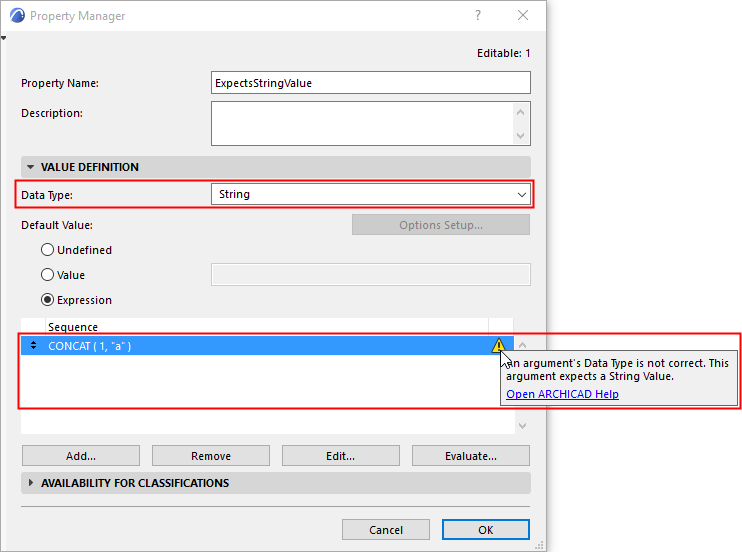
When you work with Expressions in Property Manager, the program automatically compares the Property’s defined Data Type with the result of the Expression. These must match.
If there is a discrepancy, you get a warning - click it to see the error message.
Note for Imperial System Users (US/UK):
When using the Expression Editor, avoid using the mathematical characters "/" and "-" to separate feet and inches or to write fractional inches. These symbols are interpreted as minus or division operators, which may result in unintended calculations (subtraction or division) in your expressions.
To prevent this, use decimal inches to enter expressions in the editor, even if your Working Units and Calculation Units are set to "Feet & Fractional Inches." This rule applies to any length and area-type properties.