Default Property Value
The default value of a Property is defined in Property Manager, in the Value Definition panel.
The default can be any text or value, or even an expression: a function consisting of operations and variables.
Regardless of the default, you can assign a custom value to any Property for any element or material.
If you edit a property’s default value in Property Manager, all linked property values are updated accordingly at the element/material level.
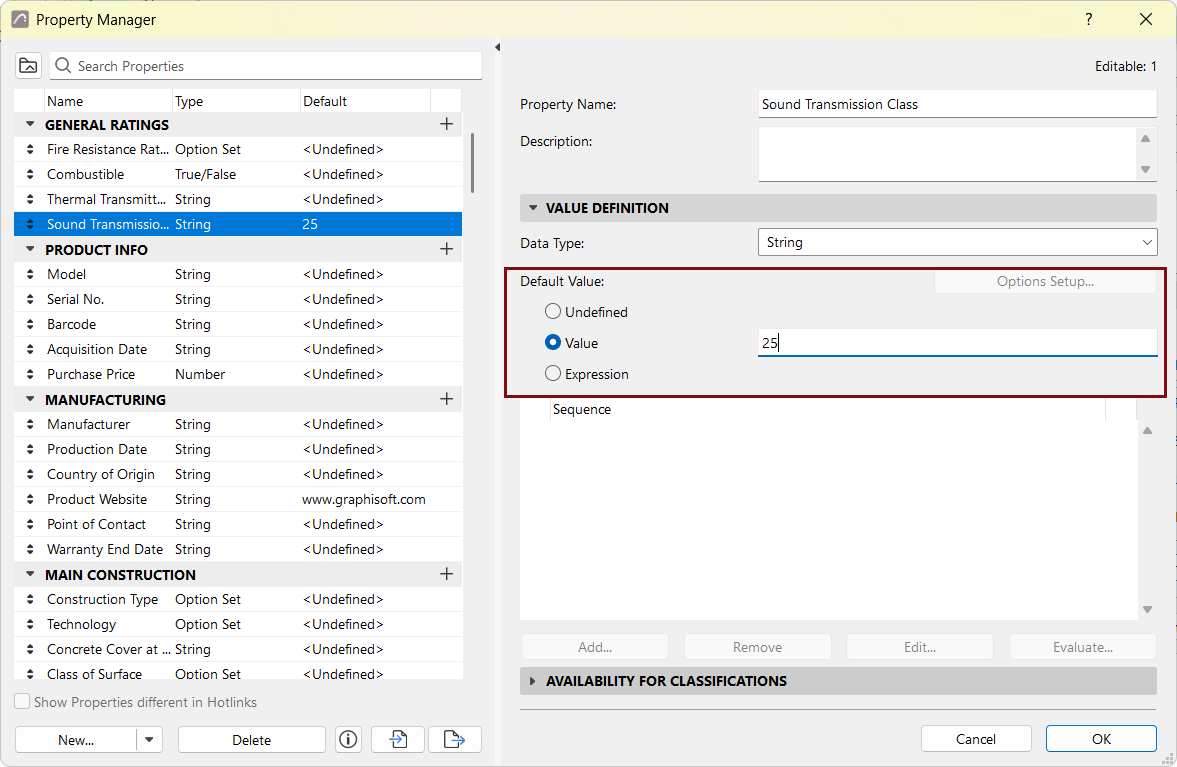
Under the Default Value control, choose an option that defines the Property’s Default Value.
- Undefined: The Property value is <Undefined> by default. It is up to the user or external consultant to set its custom value for each item.
- Value: This is a user-defined, static value that remains fixed until you change it. All items using this Property are assigned this value.
- Expression: This Property value is calculated uniquely for each item. An expression-defined value is a function of other data (e.g. element parameters), or a function of other properties (e.g. mapped properties). For example, the value is based on its model parameters (e.g. element Height), or derived from the value of another Property.
Link Property to Default Value
For each property listed in an item’s Classification/Properties panel, the chain icon indicates that its value is linked to the default for this property.
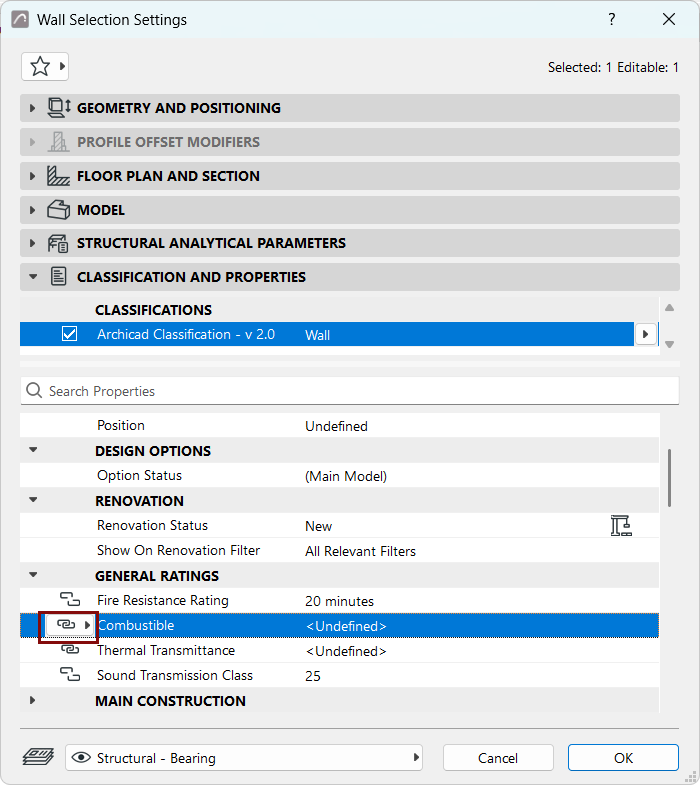
If you overwrite a value in Element Settings or the Building Material dialog, its link to the default is broken.
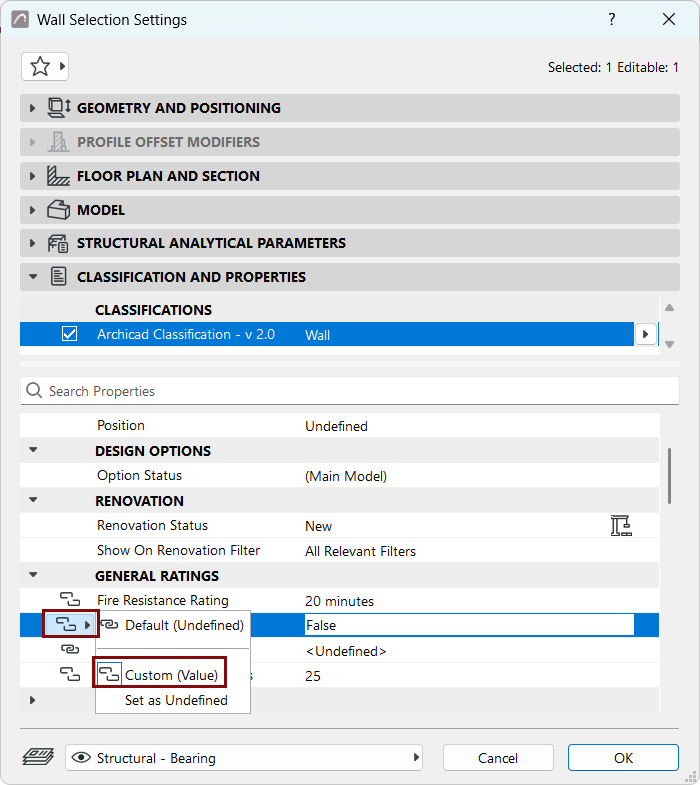
To re-link and restore the default value, click the chain icon and choose Default value.