Create Custom Property Scheme
Create a custom property scheme (a library object, whose subtype is “LPM Listing Definition”) and save it to one of the loaded libraries in your Archicad project.
Follow these steps:
- Create a new Library Part: File > Libraries and Objects > New Object…
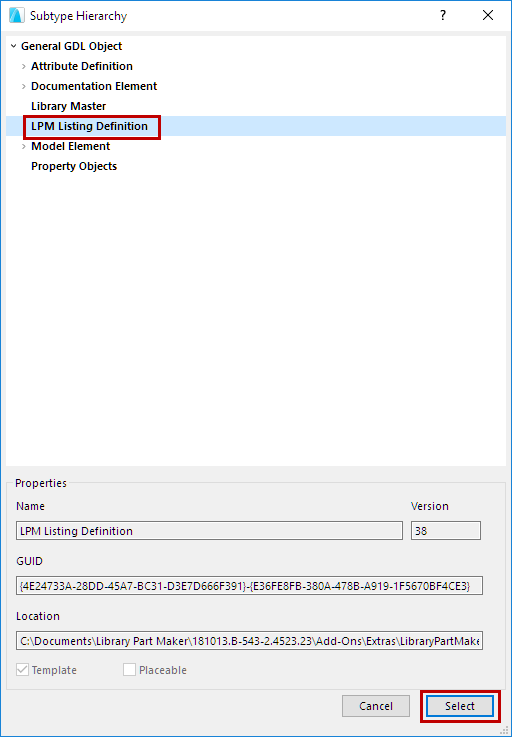
- In the appearing Object Editor window, click Select Subtype.
- From the Subtype Hierarchy dialog, choose “LPM Listing Definition”, and
click Select.
- Back in the Object Editor window, uncheck Placeable.

- In the Object Editor, use the Parameters control to define parameter names and their types.
- Use File > Save to save the Library Part (your new Property Scheme) to a project library.
- In Library Manager, reload your project libraries (File > Libraries and Objects > Library Manager…)
The new Listing Definition scheme will appear in the drop-down menu of Property Schemes, in the Library Part Maker palette.