Edit Length of All Witness Lines
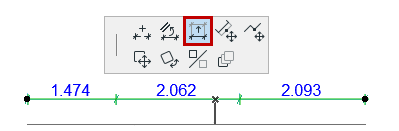
- Select the entire dimension chain (click at a “free spot” on the
dimension line).
- Bring up the Edit Length of Witness Line command from the Pet
Palette
- Drag the cursor to the desired spot.

Edit Length of Single Witness Line
- Select the dimension point.
- From the pet palette, choose Edit Length of Witness Line.
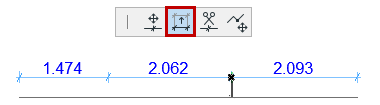
- Drag the selected witness line of the selected point to its new location.
