Move Local Teamwork Data to a Different Folder
- Close all running Teamwork projects. (Save and/or Send, as necessary.)
- Go to Teamwork > Project > Local Data Manager
- Click the Options button to open the Local
Data Options dialog box.
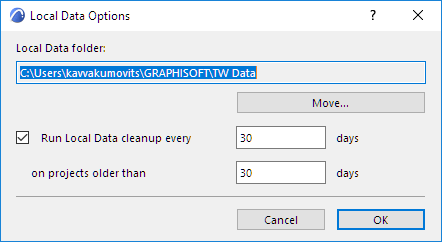
- Click Move...
- In the appearing Browse for Folder dialog box, choose or create a new folder location.
- Click OK.
All data is moved to the new location, and all Teamwork local data - regardless of project version - will henceforth be saved to this location.