Export Issues (BCF format)
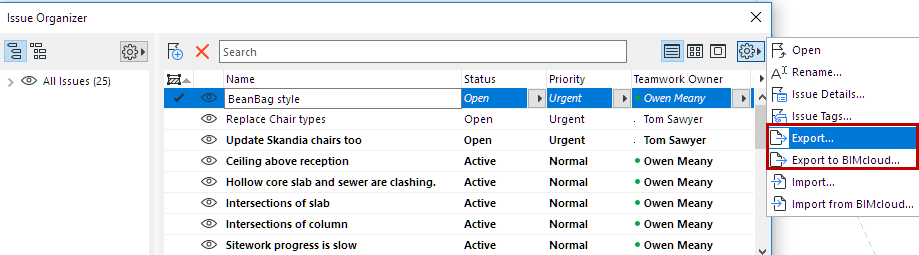
- Go to Issue Organizer.
- Select one or more Issues.
- From the Additional Settings pop-up button:
- Export
- Export to BIMcloud
If needed, log in to BIMcloud. See Log in to BIMcloud.
- Save the file in BCF format. (Choose BCF version 3.0, 2.1, or 2.0 from the Save as type drop-down list.)
- Click Save.
- All the exported Issues are saved in a single .BCF file.