Accept Issue Element(s)
Suggested design changes in any Issue (the “New”, “Modify” and “Delete” elements) are not carried out in the model until the assigned user accepts it.
- In Issue Manager, select the suggested New/Modify/Delete items which you agree with.
(If you do not select any, they will all be accepted.)
- Click Accept.
Once a suggestion is accepted fully or partially:
- “Delete” elements, once accepted, are removed from the project and no longer listed in the Issue
- “Modify” elements/element parameters replace the previous instances in the model, and move to the Highlight list of Issue Manager
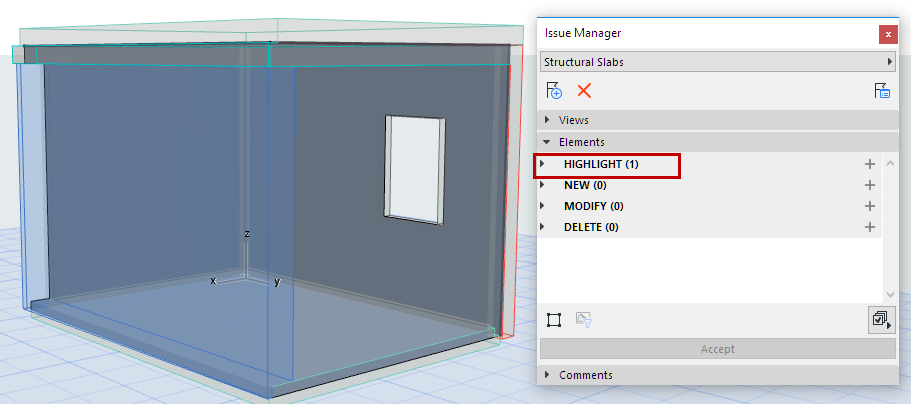
- “New” elements become part of the model and move to the Highlight list of Issue Manager
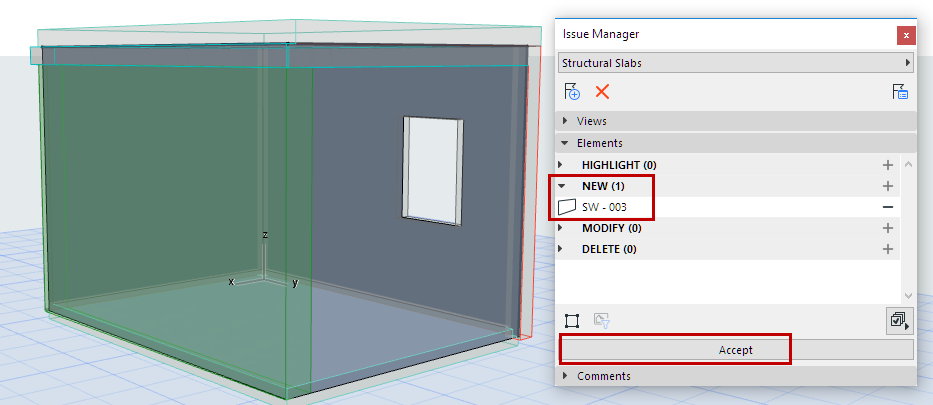
For example, a Wall that is a “New” Issue element does not become part of the model until you click Accept in Issue Manager. Then the element moves to the Highlight part of the Elements list.
Accept Limited Parameter Changes
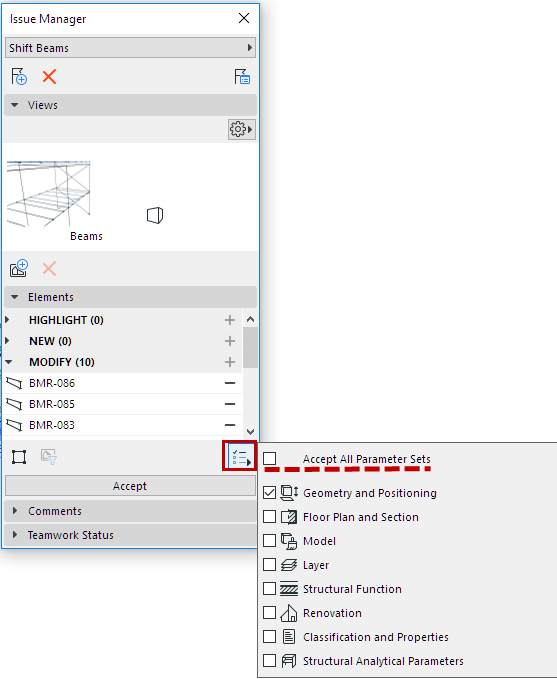
When receiving an Issue with proposed element changes, you can decide to accept only changed parameters.