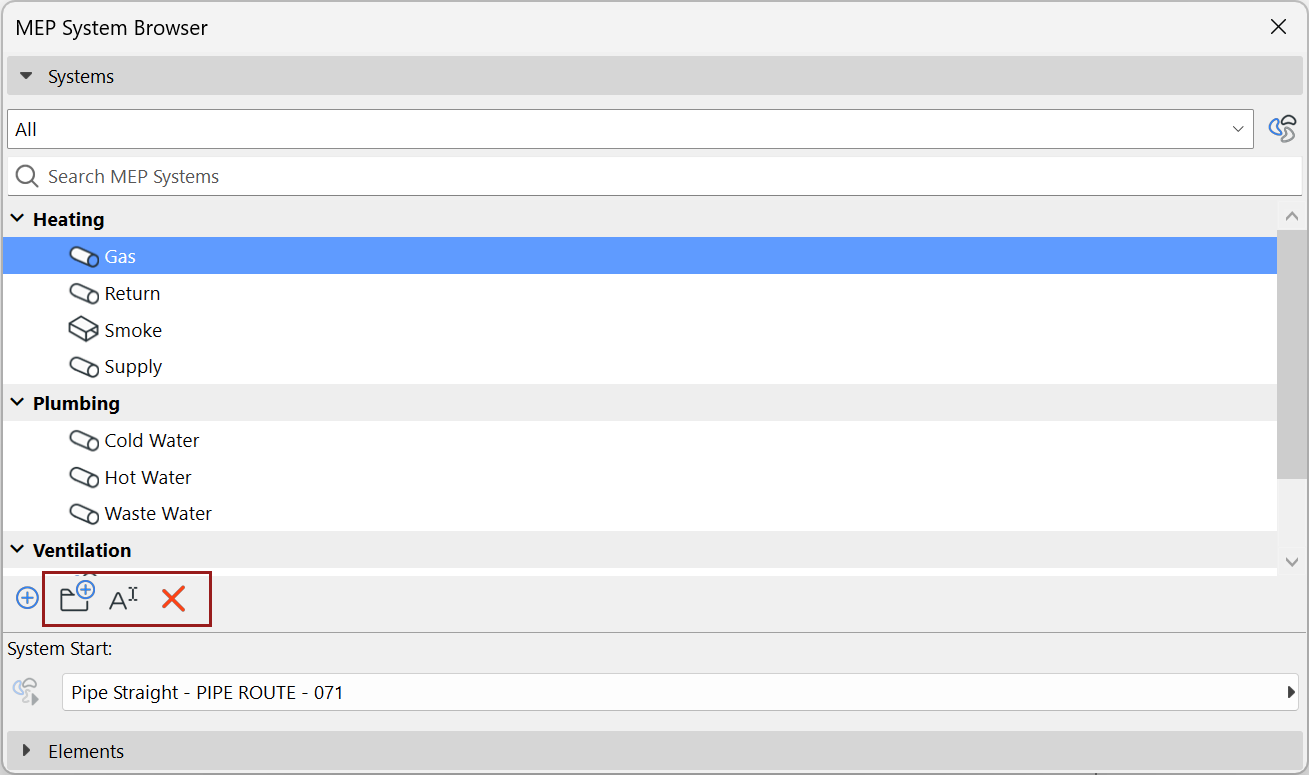
Add MEP System to System Browser
Open the MEP System Browser by doing one of the following:

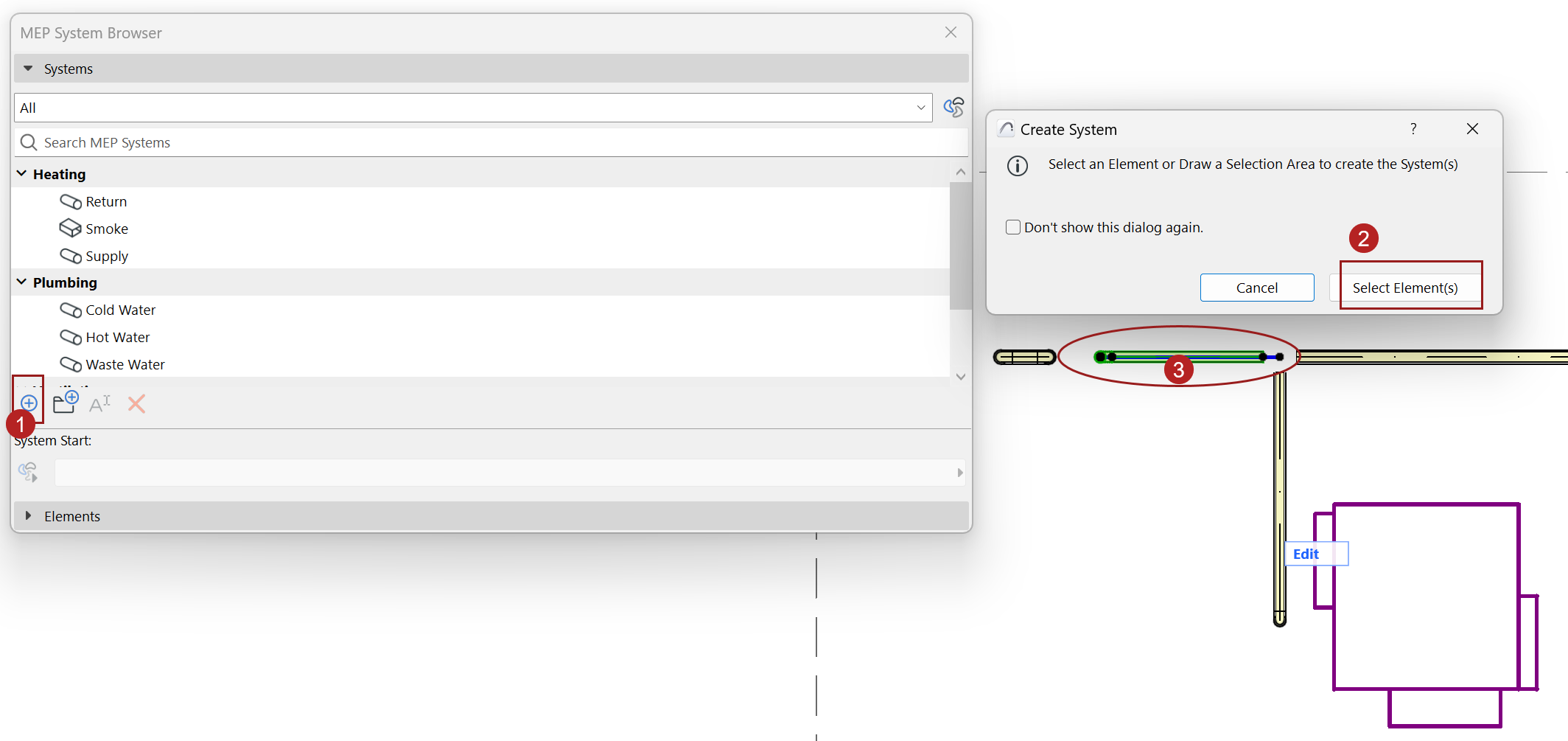
- In the System Browser, click “Plus” [+]
- In the appearing dialog, click Select Elements.
- Select System elements OR system start point:
In the model, do one of the following:
- Select the system start point (one MEP element as the start point for duct or pipe systems: Its port represents where the air or fluid will come from)
- OR select one or more MEP elements to be part of the
system
- For each system, choose a valid start point from the System
Start dropdown
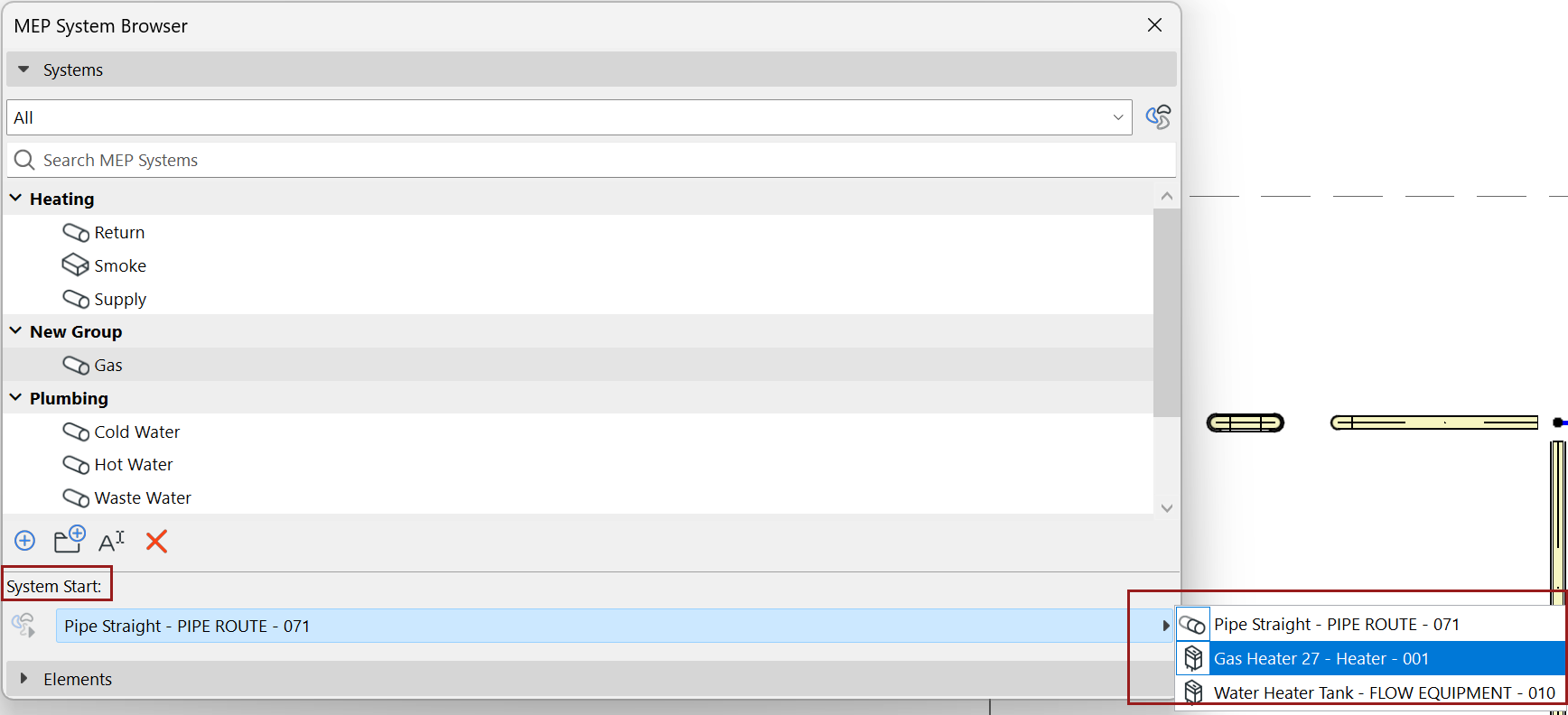
Note: If you later eliminate the System start point (for example, you add a terminal to the open end), the System is deleted from browser, because it has no open end. An alert will allow you to either undo this, or else continue - in that case, you can later add the System to the browser by using a different start point.
- The new system is added to the browser in a “New Group”
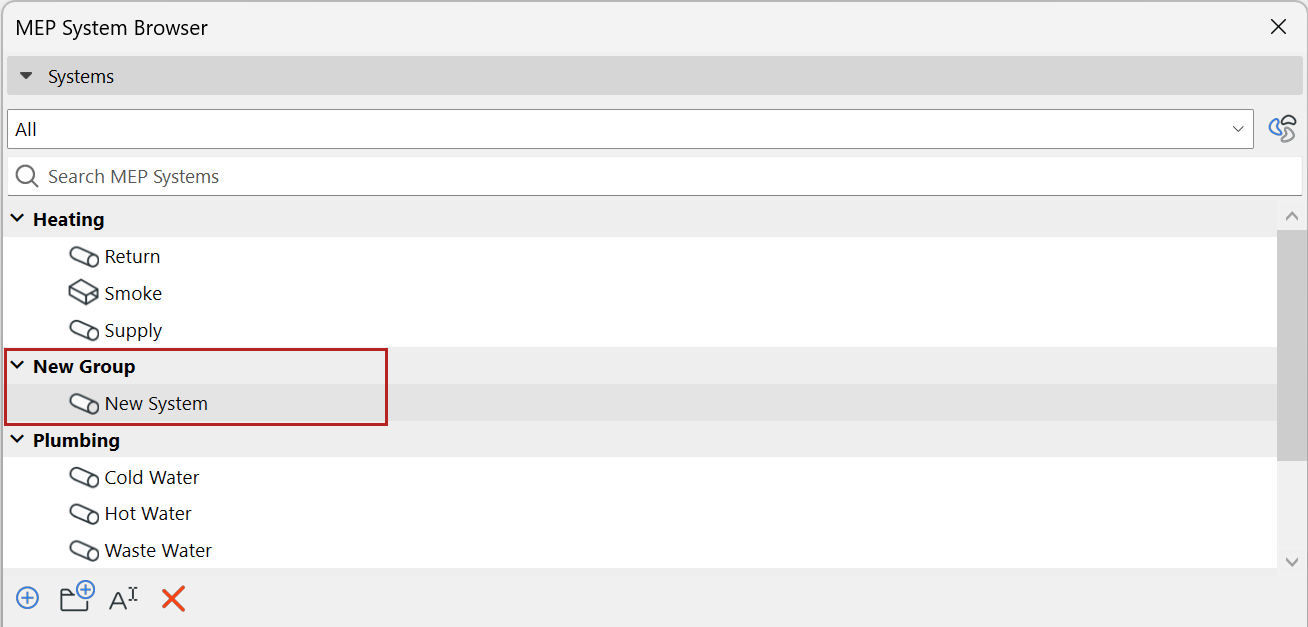
- Rename or organize Systems or groups